# Setup Products

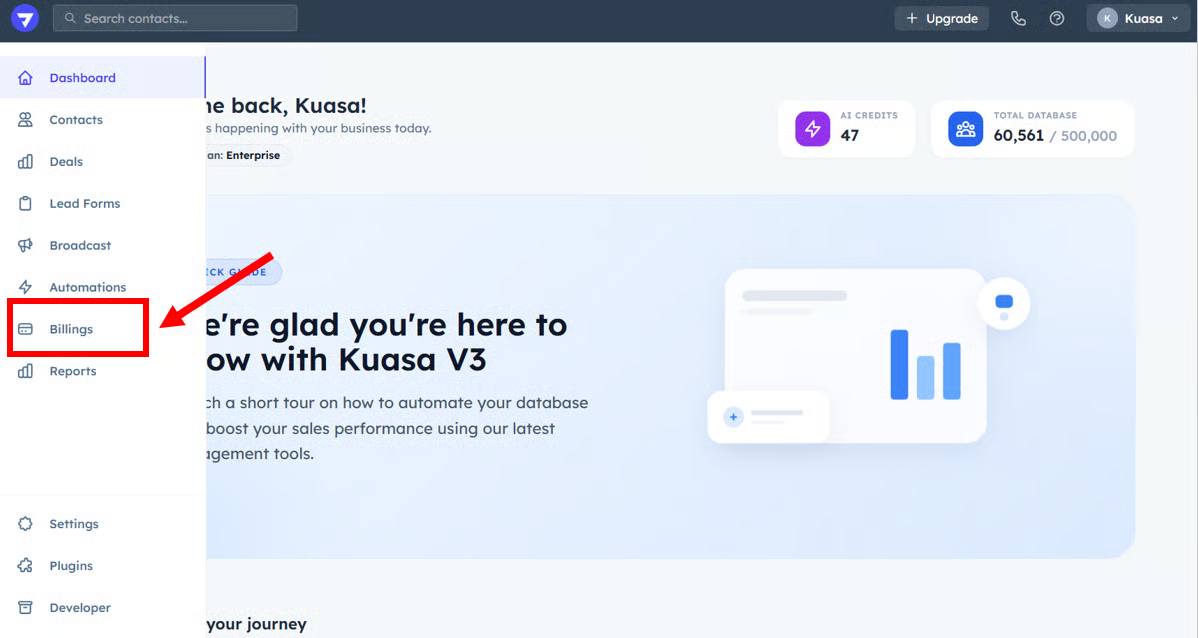
1. Click **Billings**.

<figure><img src="https://3115216045-files.gitbook.io/~/files/v0/b/gitbook-x-prod.appspot.com/o/spaces%2FjUshnokTPXfX7lwwLXnA%2Fuploads%2FL8l2uYMQPRbhK9ESKC1P%2Fimage.png?alt=media&#x26;token=4ea347e1-a75a-4965-9b45-058984c9a0c7" alt=""><figcaption></figcaption></figure>

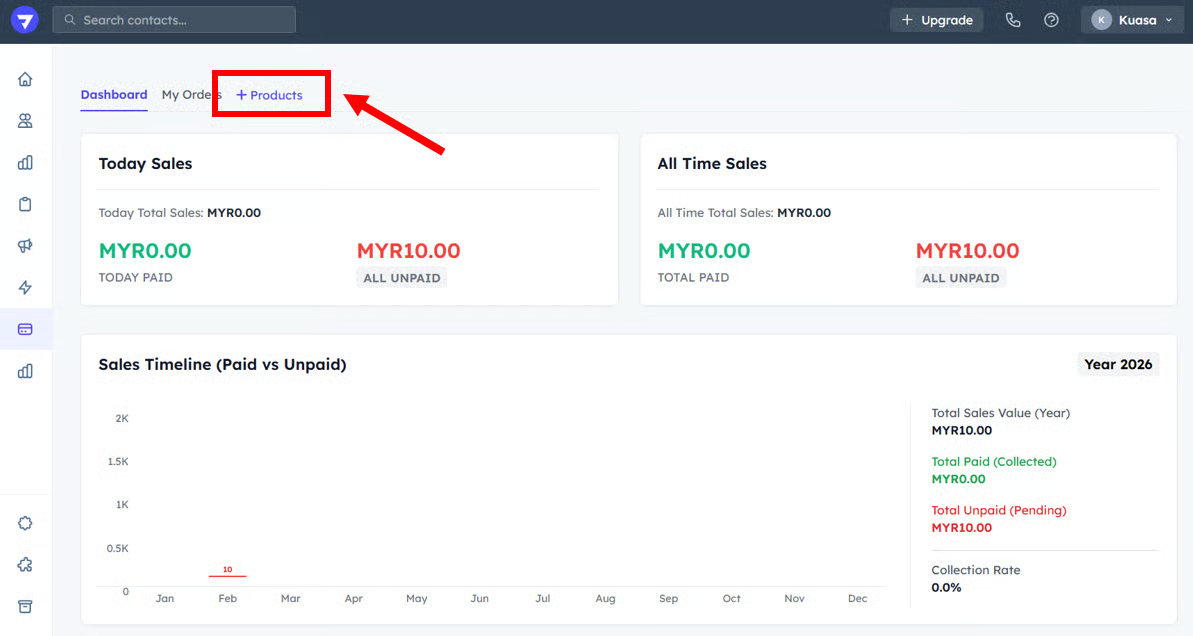
2. Click **+ Products**.

<figure><img src="https://3115216045-files.gitbook.io/~/files/v0/b/gitbook-x-prod.appspot.com/o/spaces%2FjUshnokTPXfX7lwwLXnA%2Fuploads%2F6L7Us7tgbW5CDpnfsFia%2Fimage.png?alt=media&#x26;token=8f707c17-7c1d-4843-8fd6-616597b8ec1b" alt=""><figcaption></figcaption></figure>

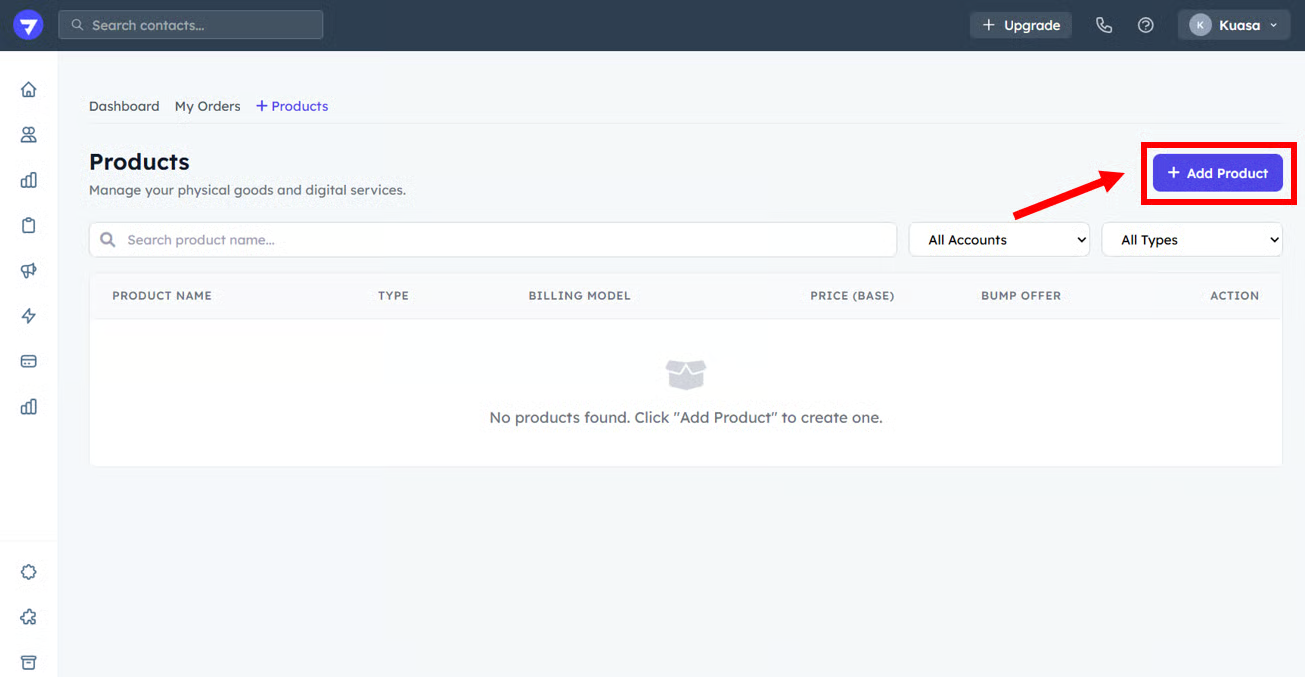
3. Click the **+ Add Product** button.

<figure><img src="https://3115216045-files.gitbook.io/~/files/v0/b/gitbook-x-prod.appspot.com/o/spaces%2FjUshnokTPXfX7lwwLXnA%2Fuploads%2FFo09eJwuxIa7zM8KqbHh%2Fimage.png?alt=media&#x26;token=46d076c0-a60d-4251-80a7-3bc58eebb693" alt=""><figcaption></figcaption></figure>

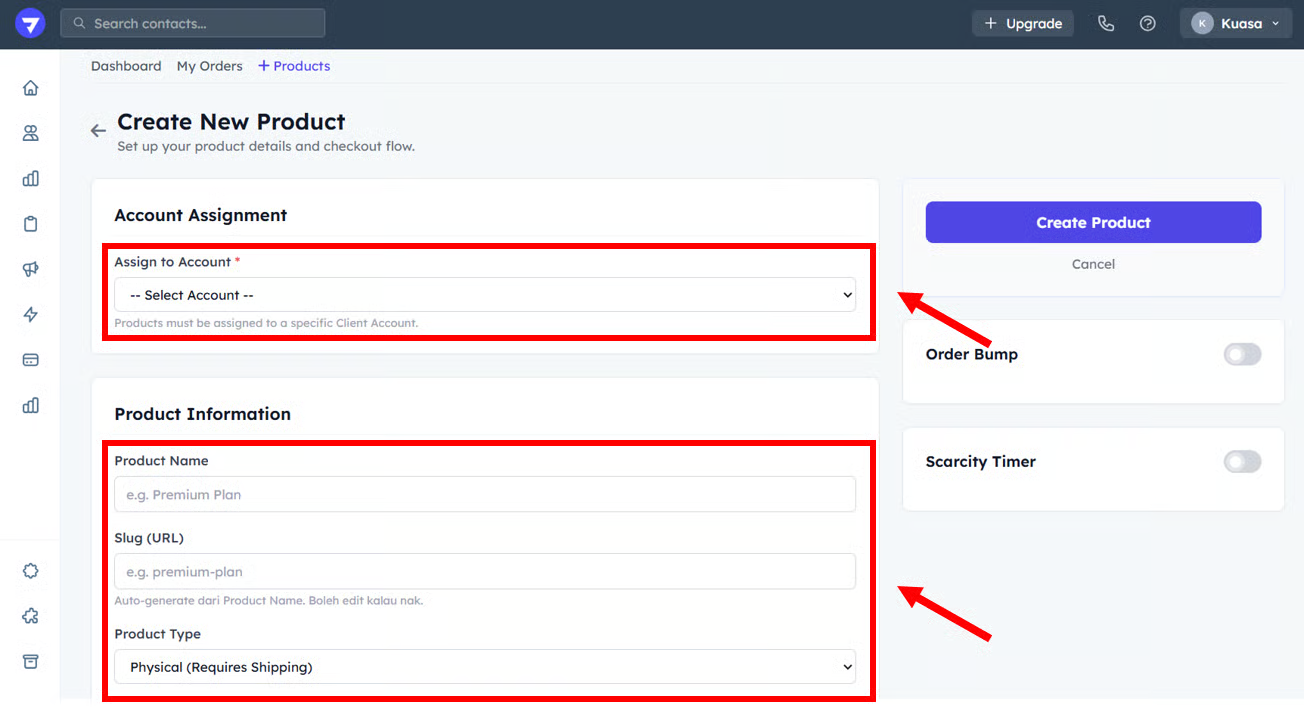
4. Choose the Client Account.
5. Enter the Product Name.
6. Choose the Product Type (Physical or Digital).

<figure><img src="https://3115216045-files.gitbook.io/~/files/v0/b/gitbook-x-prod.appspot.com/o/spaces%2FjUshnokTPXfX7lwwLXnA%2Fuploads%2FaFwi7zG7BB2rF206rhw2%2Fimage.png?alt=media&#x26;token=12b16ce7-432f-4206-8633-0c6039f77278" alt=""><figcaption></figcaption></figure>

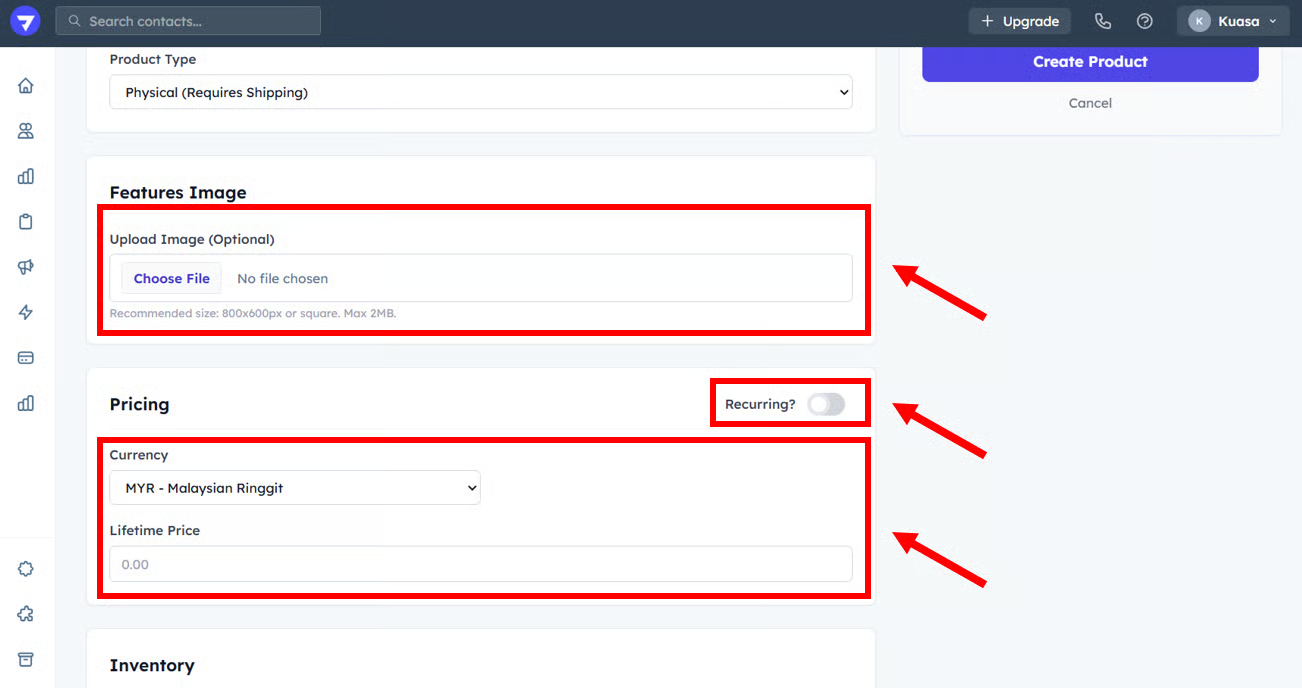
7. You can upload the product image.
8. You may set the lifetime price.

{% hint style="info" %}
You may set the payment is recurring or not.
{% endhint %}

<figure><img src="https://3115216045-files.gitbook.io/~/files/v0/b/gitbook-x-prod.appspot.com/o/spaces%2FjUshnokTPXfX7lwwLXnA%2Fuploads%2F4jac1m9s1tbuHUDN4pa7%2Fimage.png?alt=media&#x26;token=88a25220-f646-483b-a64a-48f27ef57510" alt=""><figcaption></figcaption></figure>

{% hint style="success" %}
Well Done! You already create a new product.
{% endhint %}