> For the complete documentation index, see [llms.txt](https://docs.kuasa.io/llms.txt). Markdown versions of documentation pages are available by appending `.md` to page URLs; this page is available as [Markdown](https://docs.kuasa.io/start-selling/billplz.md).
# Billplz
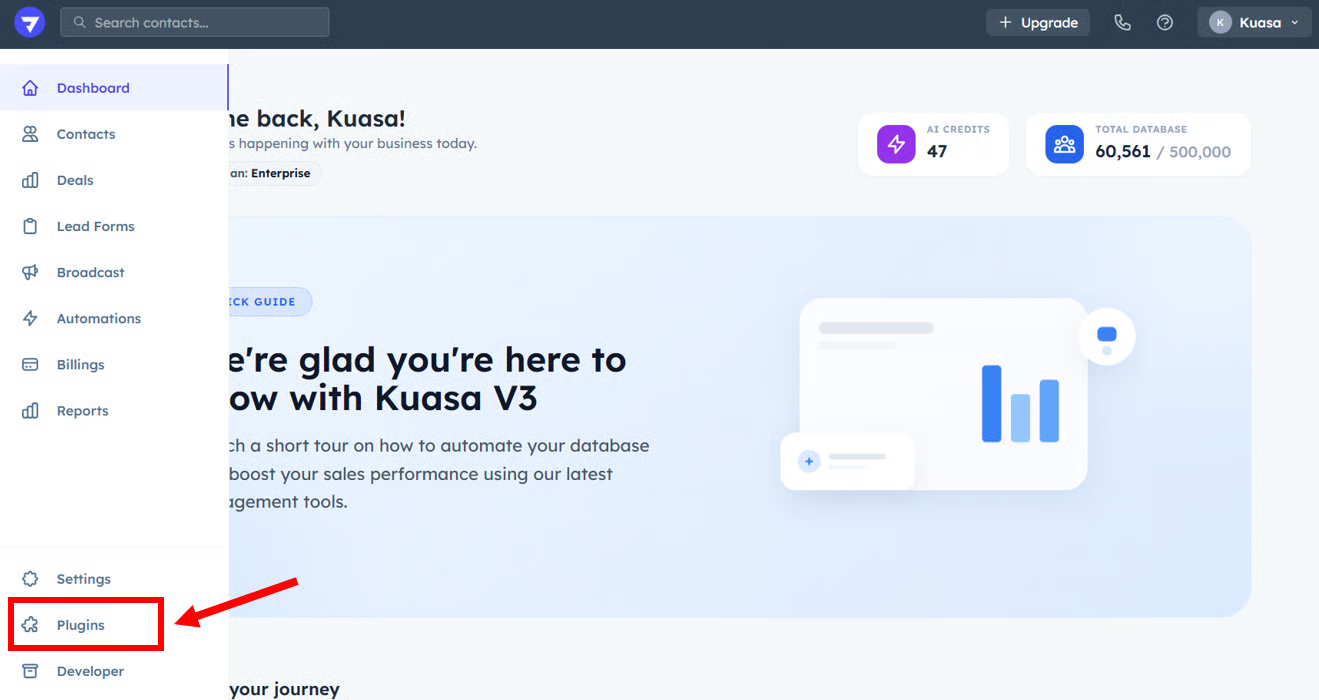
1. Click **Plugins**.
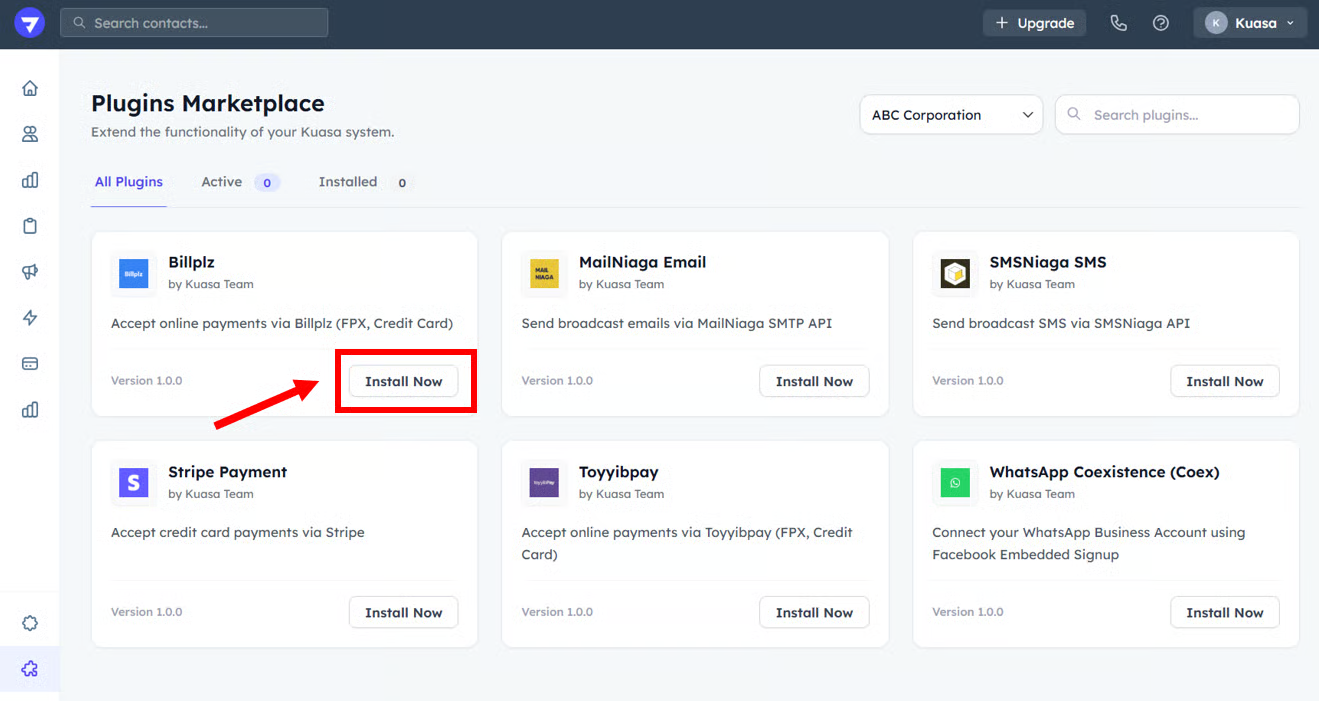
2. Click **Install Now** on **Billplz**.
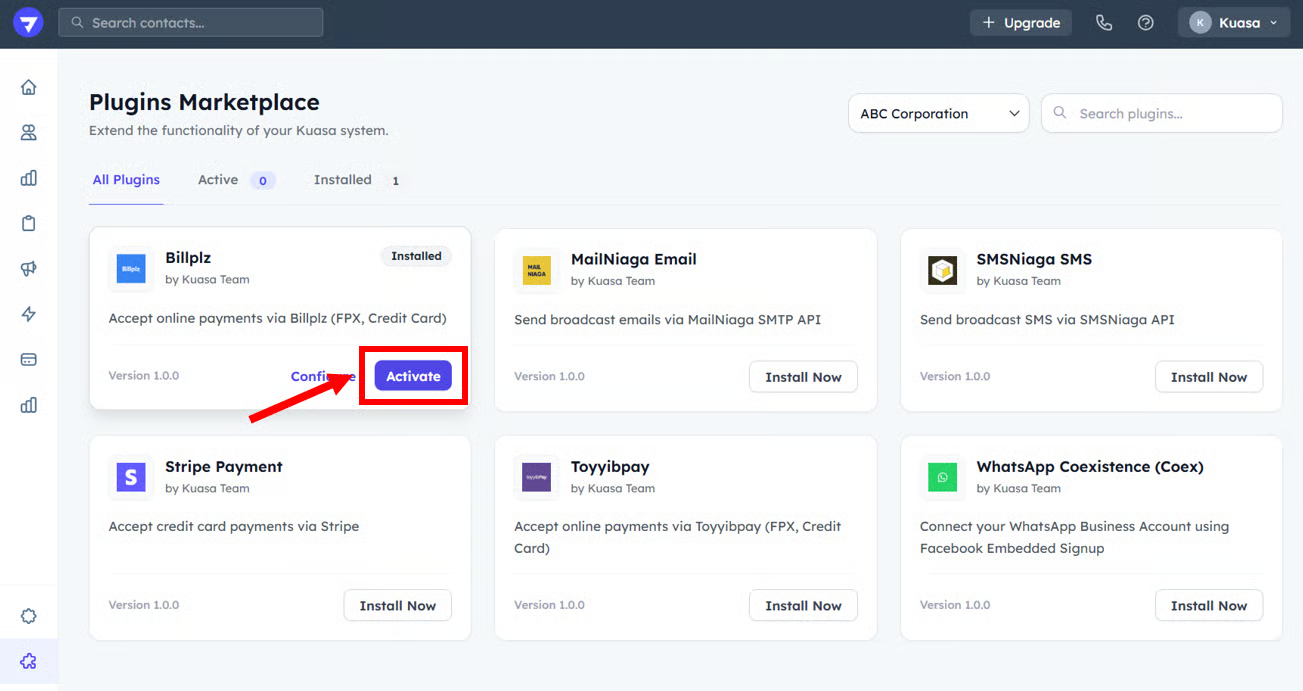
3. After the plugin already installed, click **Activate**.
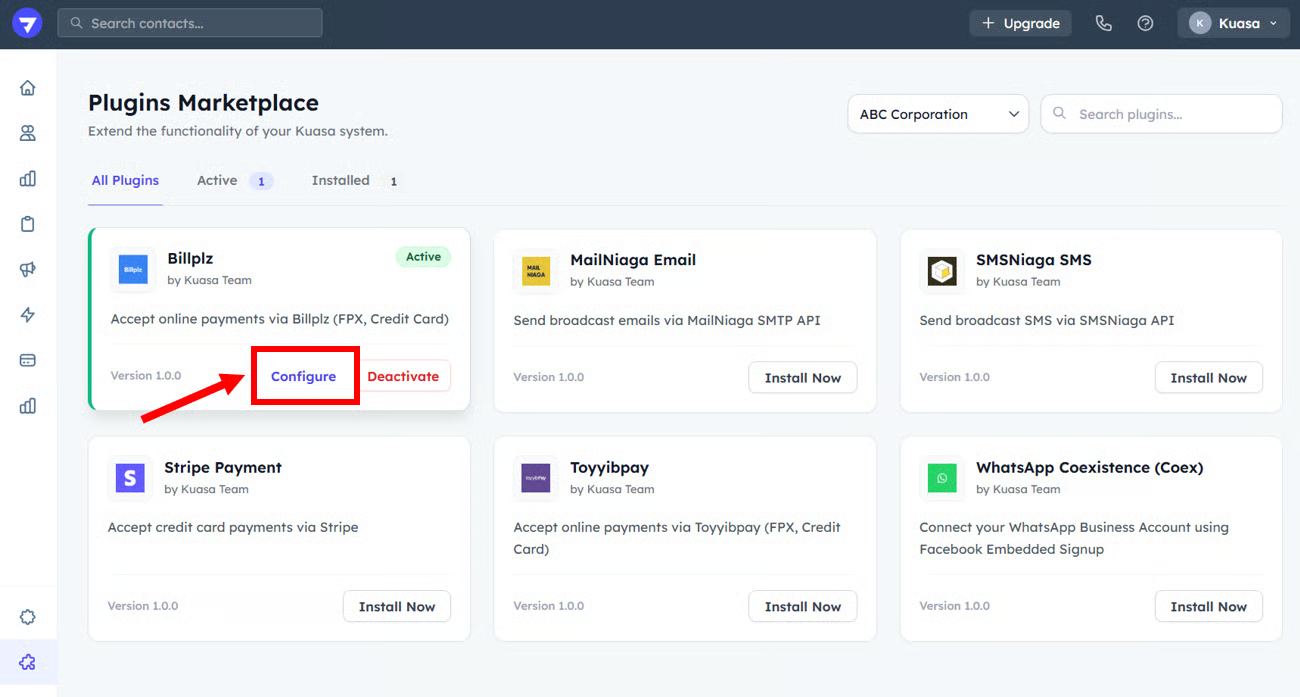
4. Then, click **Configure**.
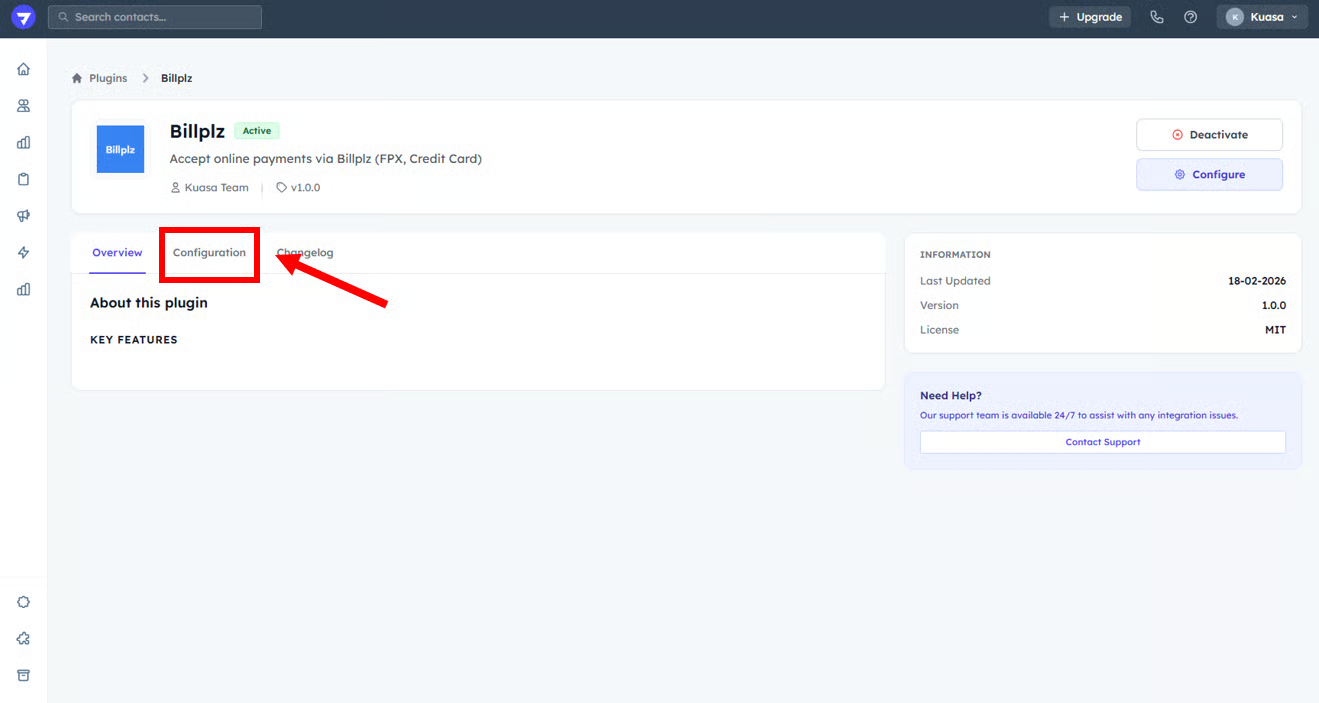
5. Go to **Configuration**.
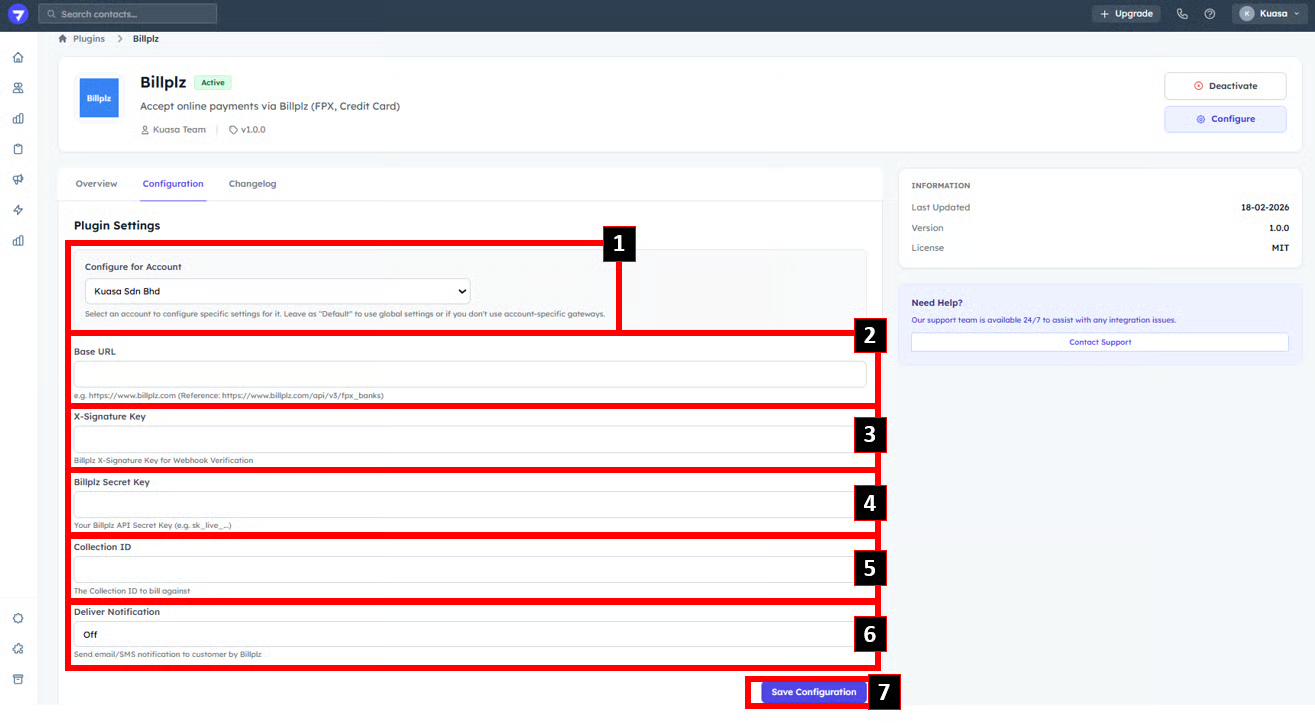
6. Choose the Client Account. Then, enter all the details below (get the details from your payment gateway account):
* Base URL
* User Secret Key
* Category Code
After complete fill up all the details, click Save Configuration.
{% hint style="success" %}
Well Done! You already complete payment gateway plugin setup.
{% endhint %}