> For the complete documentation index, see [llms.txt](https://docs.kuasa.io/llms.txt). Markdown versions of documentation pages are available by appending `.md` to page URLs; this page is available as [Markdown](https://docs.kuasa.io/reach-customers/whatsapp-unofficial-wabot-wasapbot-broadcast.md).
# Whatsapp Unofficial (Wabot / Wasapbot) Broadcast
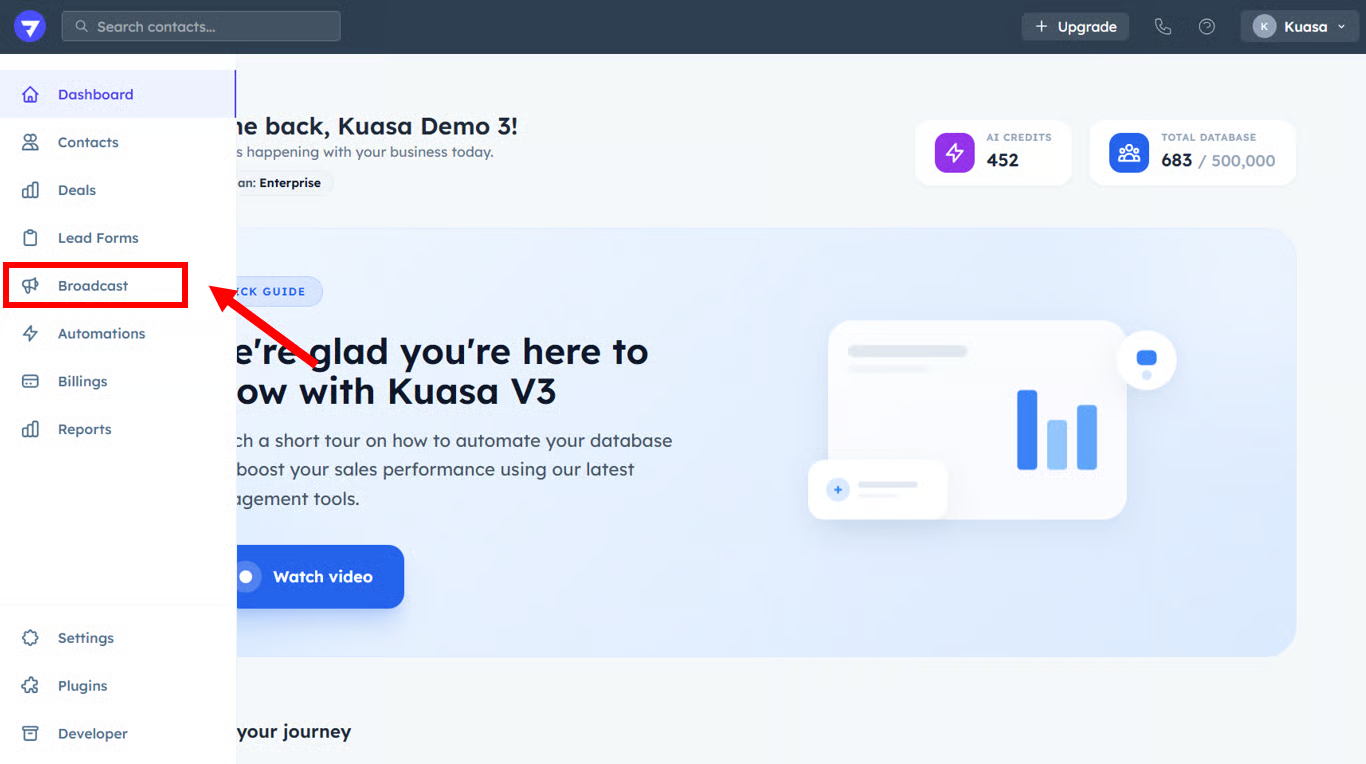
1. Click **Broadcast**.
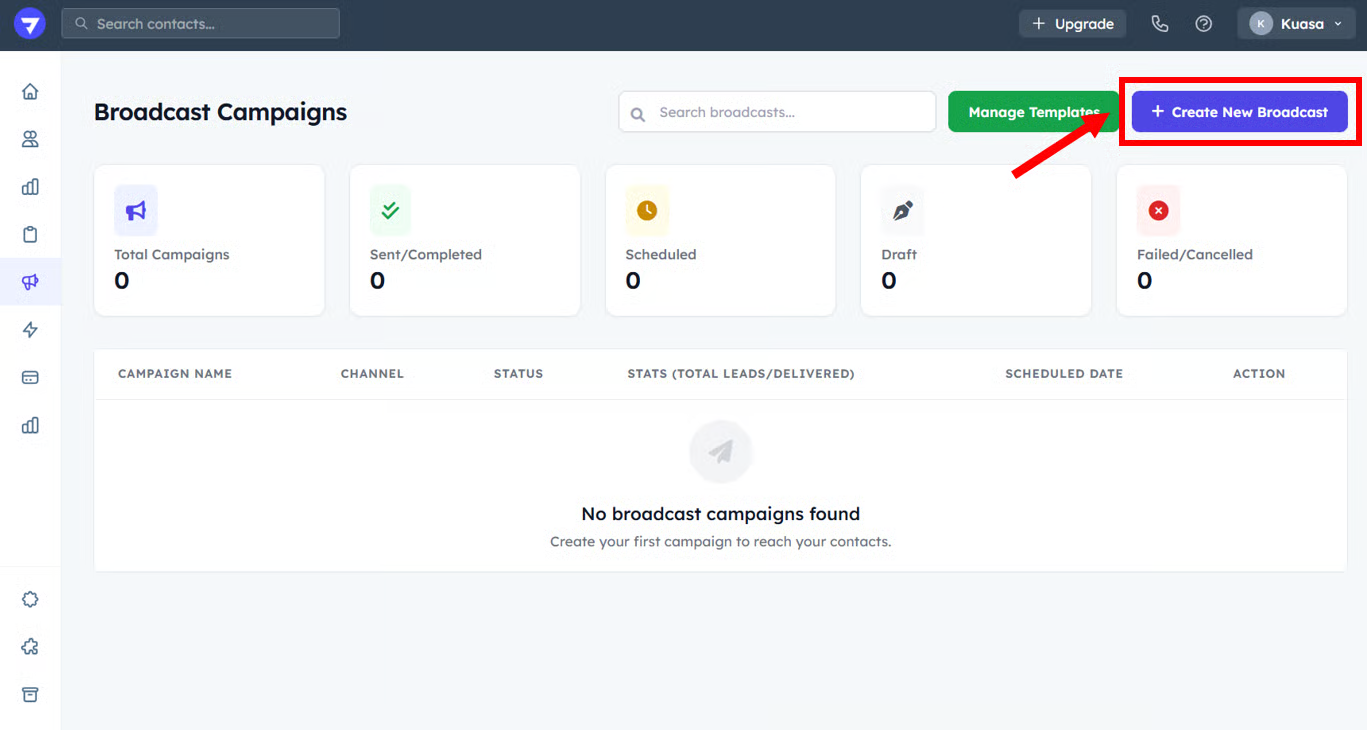
2. Click **Create New Broadcast**.
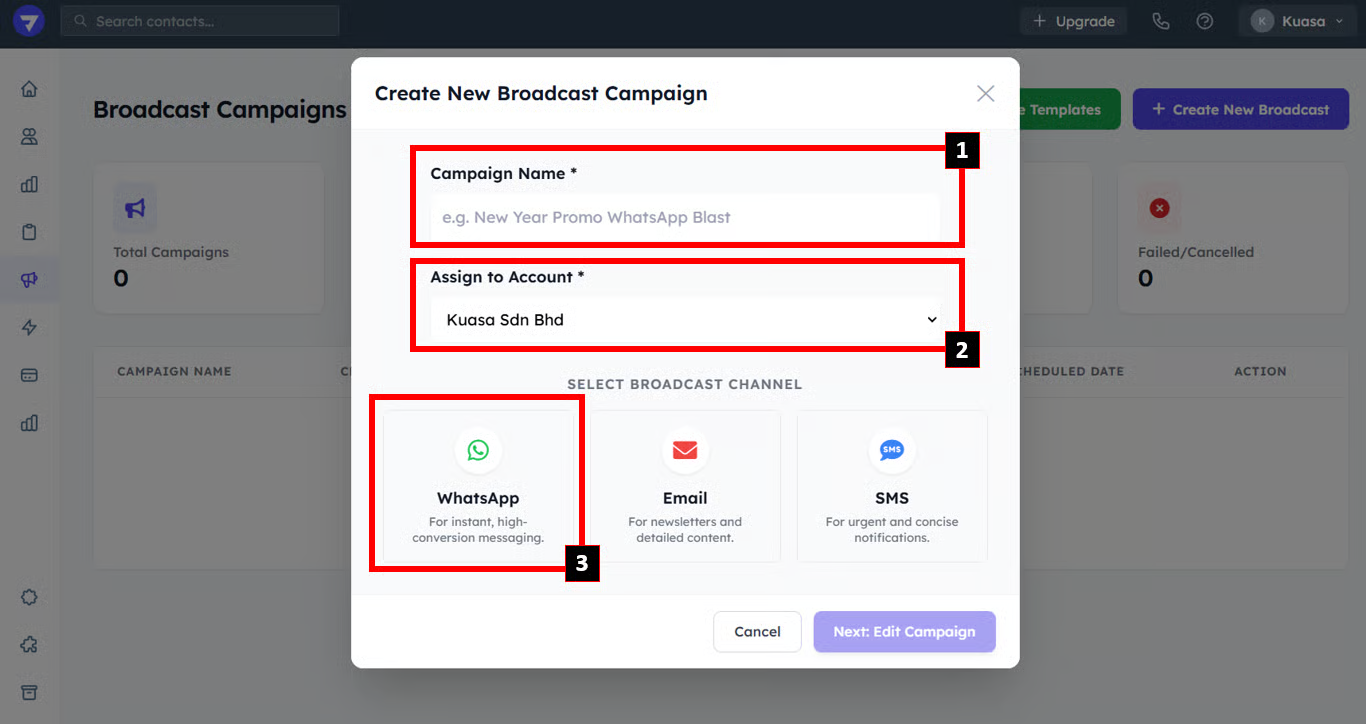
3. Enter Campaign name
4. Select WhatsApp
5. Select **3rd Party Platform**. Then, click **Create Campaign**
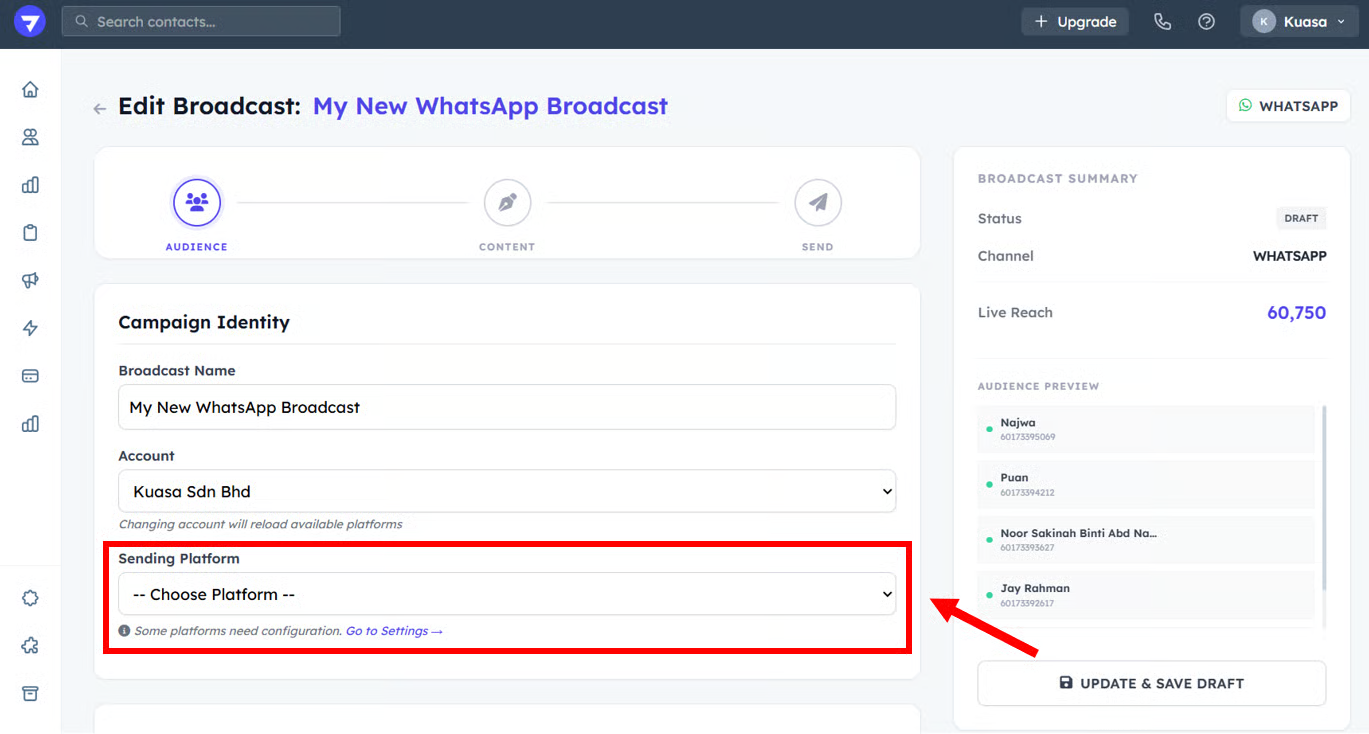
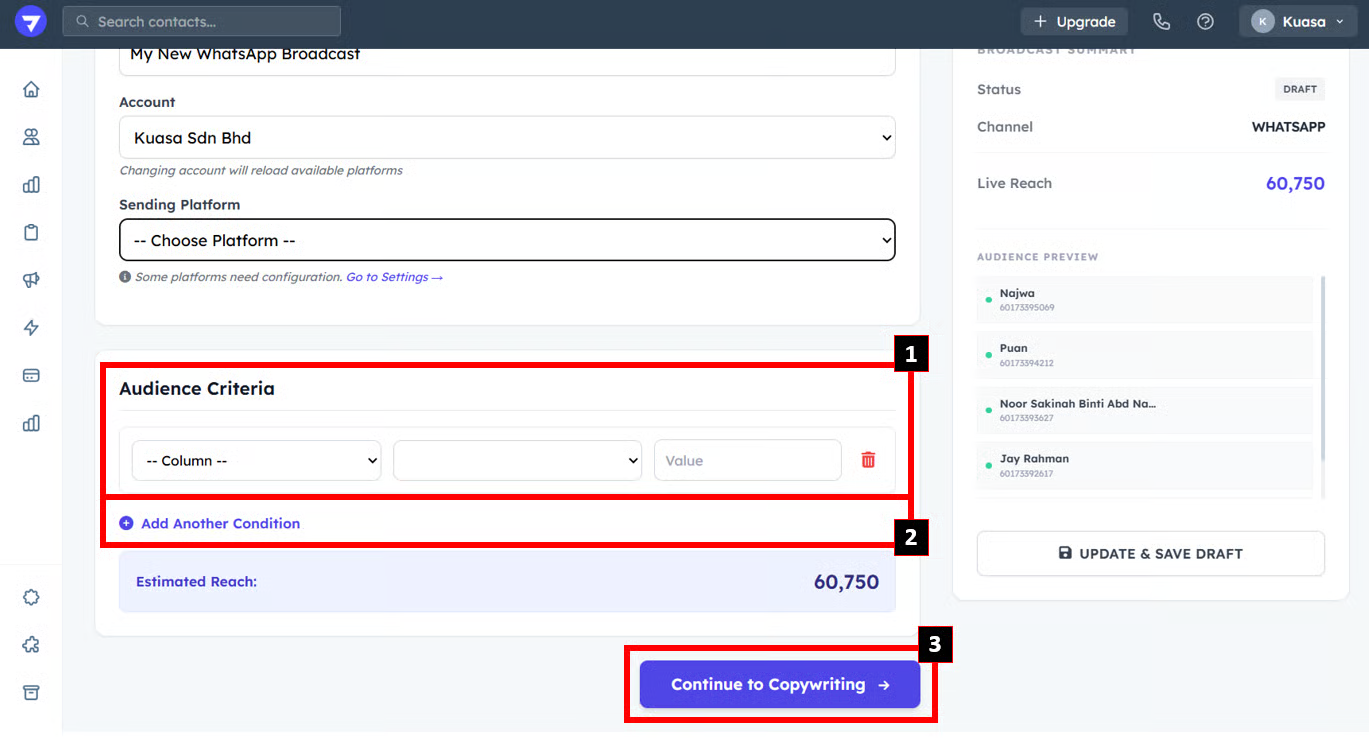
6. Select **Sending Platform.**
7. Select **Audience Criteria.** Then, **c**lick **Continue to Copywriting**
8. Write your copywriting in **Message Content** and can upload one image.
9. Click **Continue to Send**
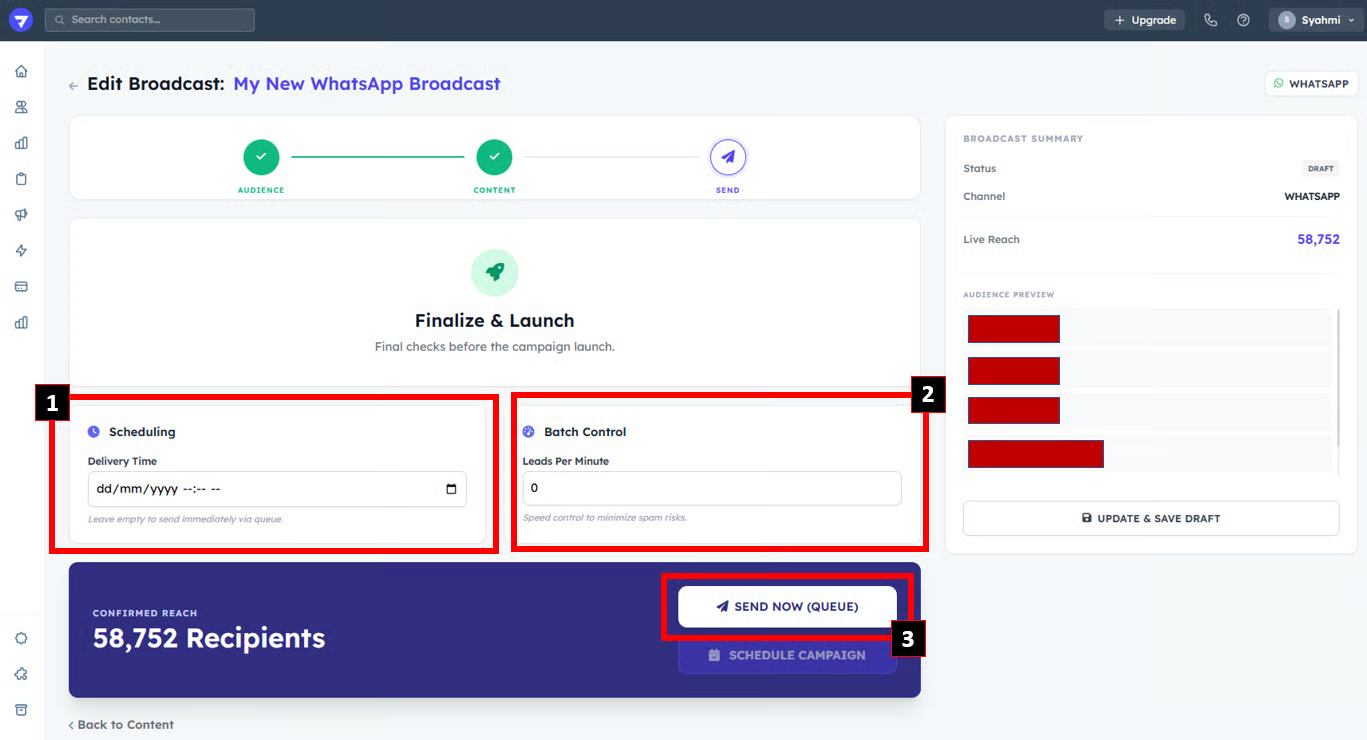
10. Set the time and date if you want to schedule the broadcast.
11. Click **Send Now (Queue)** if you want to send immediately.
{% hint style="info" %}
Click the **Broadcast Campaign** name to view the detailed logs.
{% endhint %}