> For the complete documentation index, see [llms.txt](https://docs.kuasa.io/llms.txt). Markdown versions of documentation pages are available by appending `.md` to page URLs; this page is available as [Markdown](https://docs.kuasa.io/reach-customers/setup-sms-plugin.md).
# Setup SMS Plugin
You need to register MailNiaga Email account before proceeding with below steps. To register, you may click link below.
#### SMSNiaga SMS Account Registration
1. Click link below to register.
[https://billing.webimpian.com/?cmd=cart\&action=add\&id=d3d2c276b6e2b41fae5288e54d2ec7d0 ]()
2. Click Continue to proceed with SMSNiaga account setup & registration.
{% hint style="warning" %}
RM100 setup fee will be charged by SMSNiaga SMS for the account setup and registration
{% endhint %}
3. Enter all the details required.
4. Verify the image and select payment method. Then, click **Continue** to proceed with the payment.
{% hint style="info" %}
SMSNiaga SMS team will contact you once payment is made for the next process.
{% endhint %}
#### Login to Kuasa account to setup SMSNiaga SMS plugin.
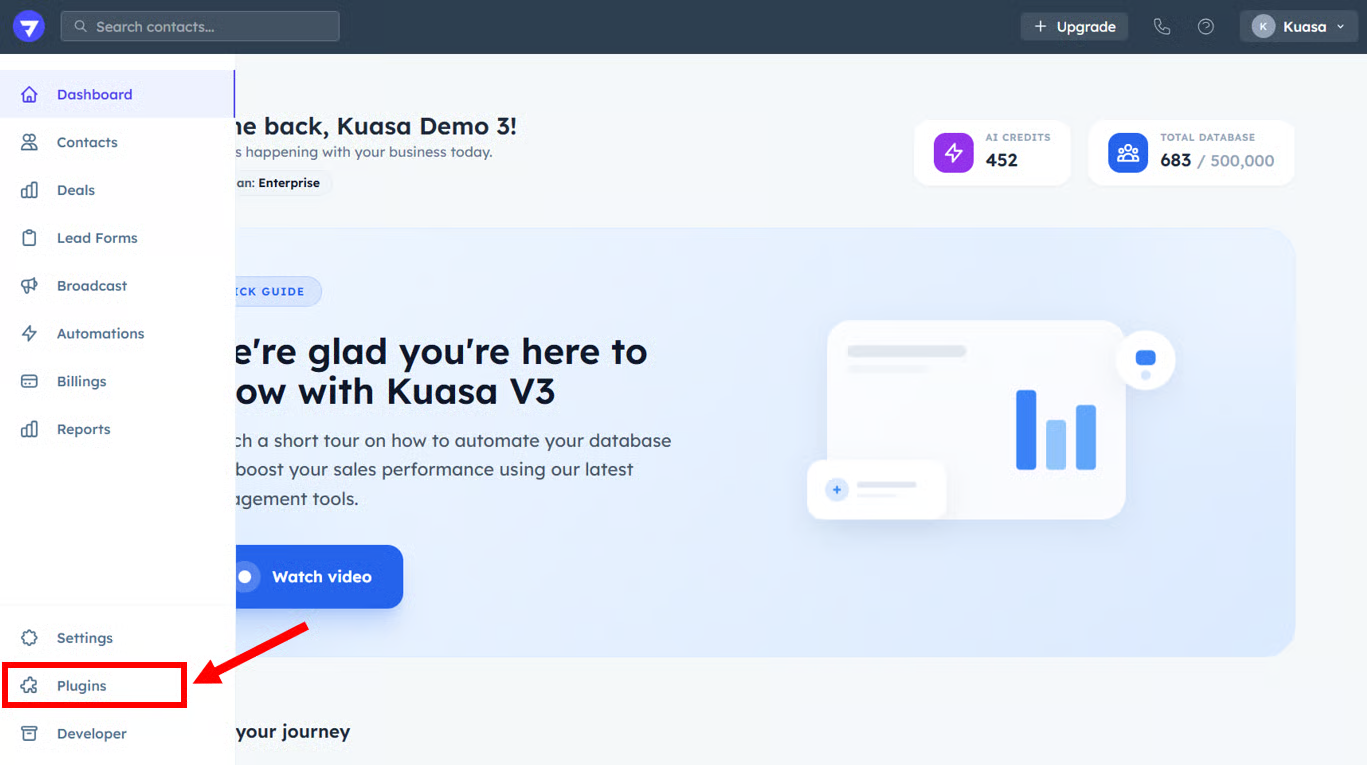
1. Click **Plugins**.
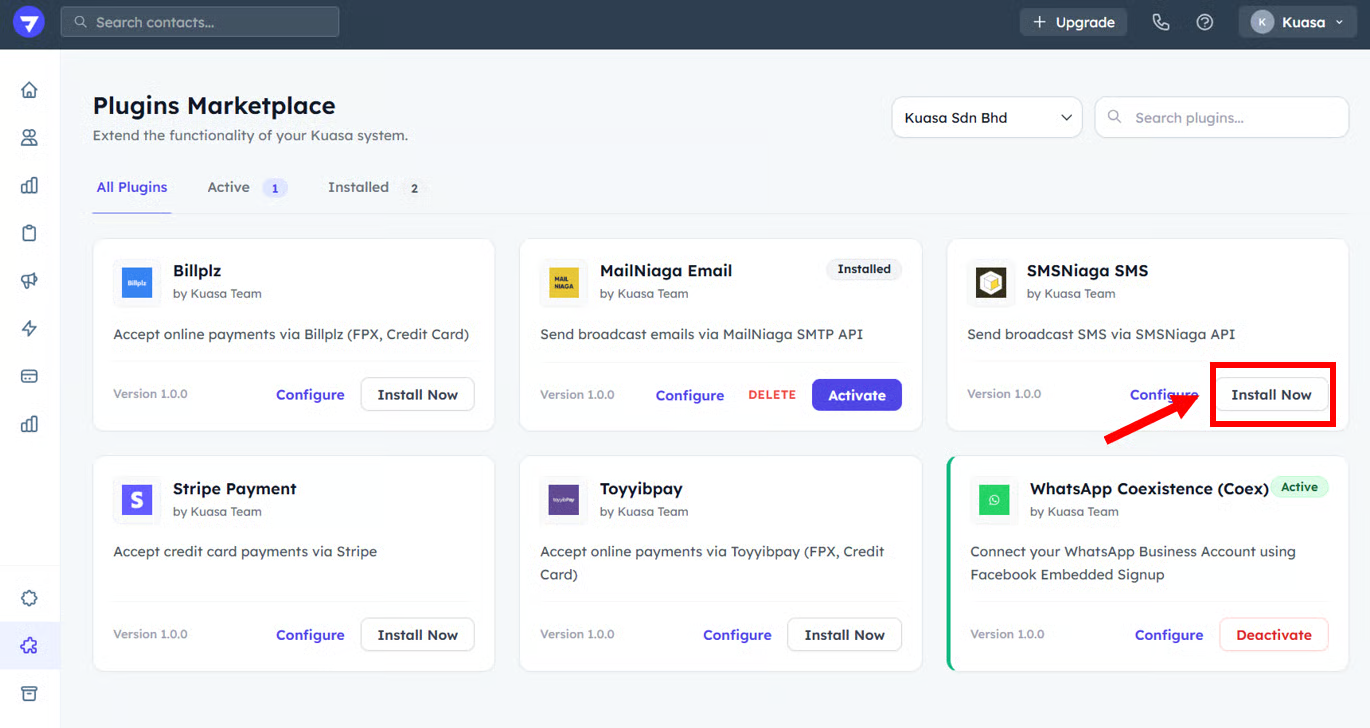
2. Go to **SMSNiaga SMS**.
3. Click **Install Now**.
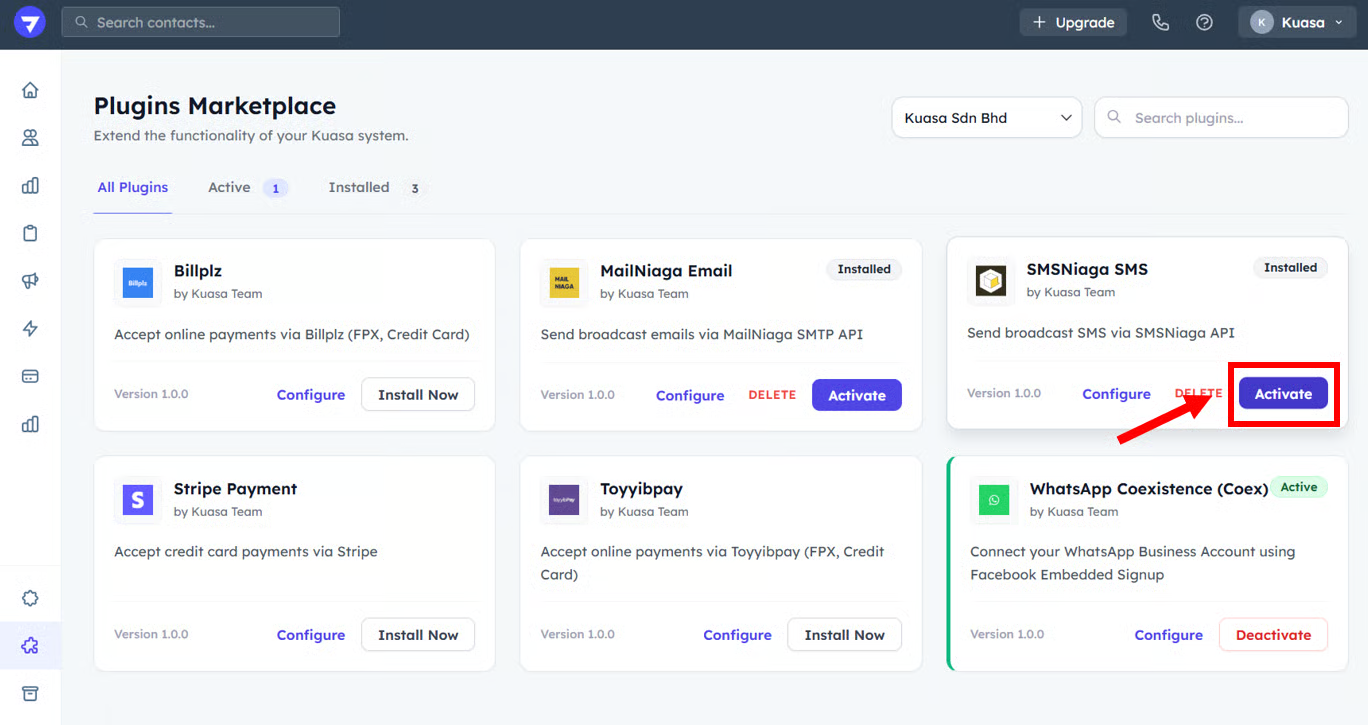
4. After it's already Installed, click **Activate**.
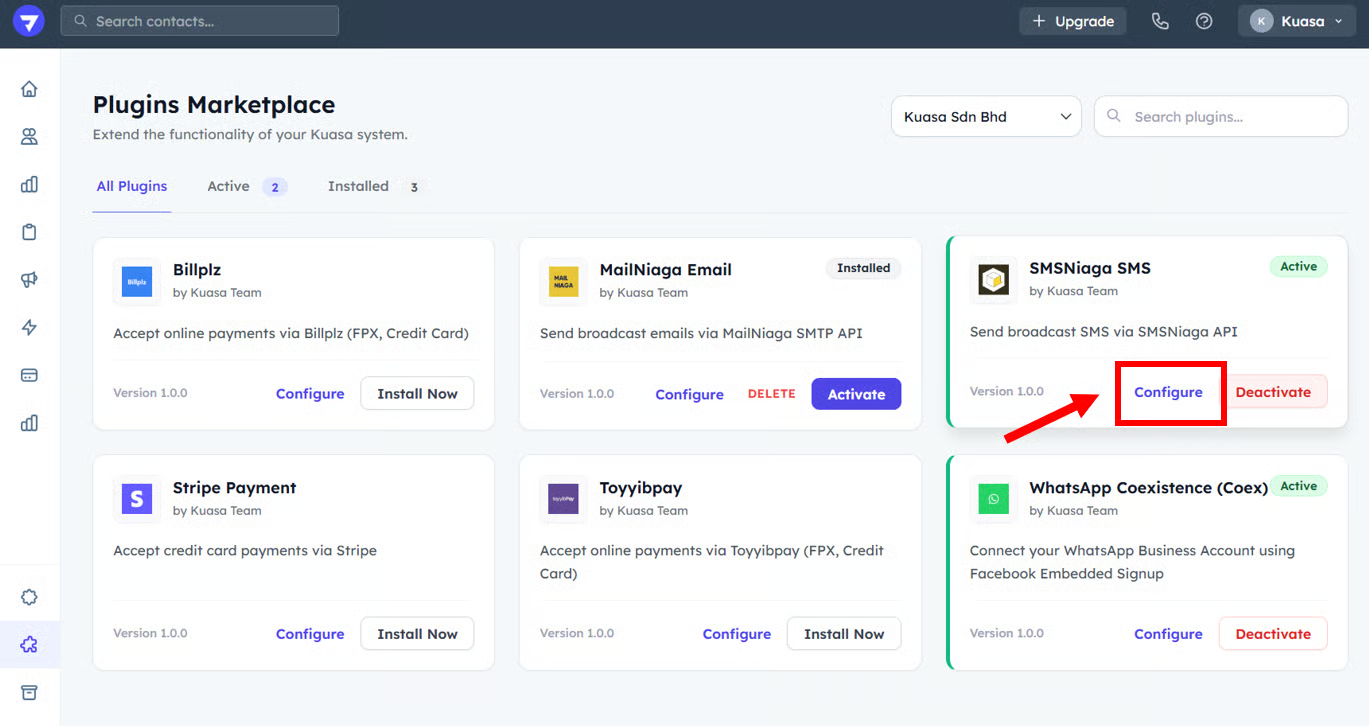
5. Then, click **Configure**.
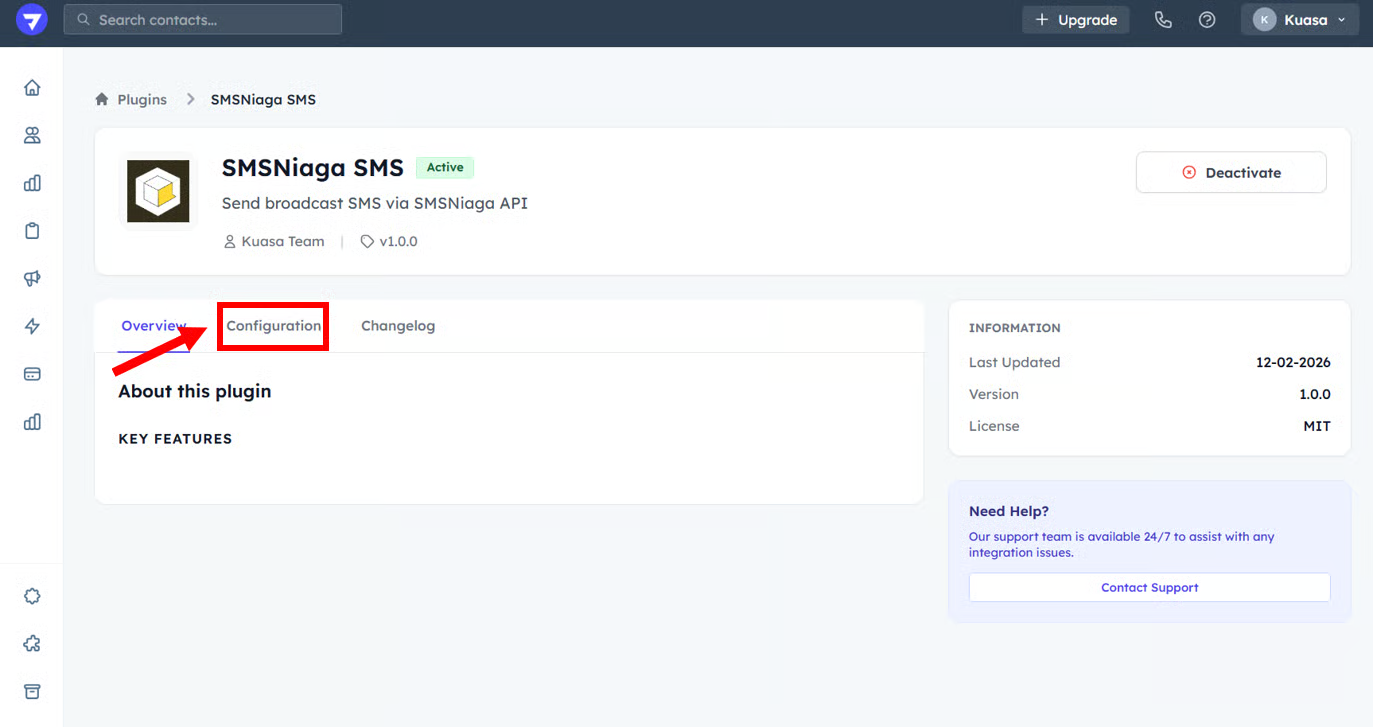
6. Go to **Configuration**.
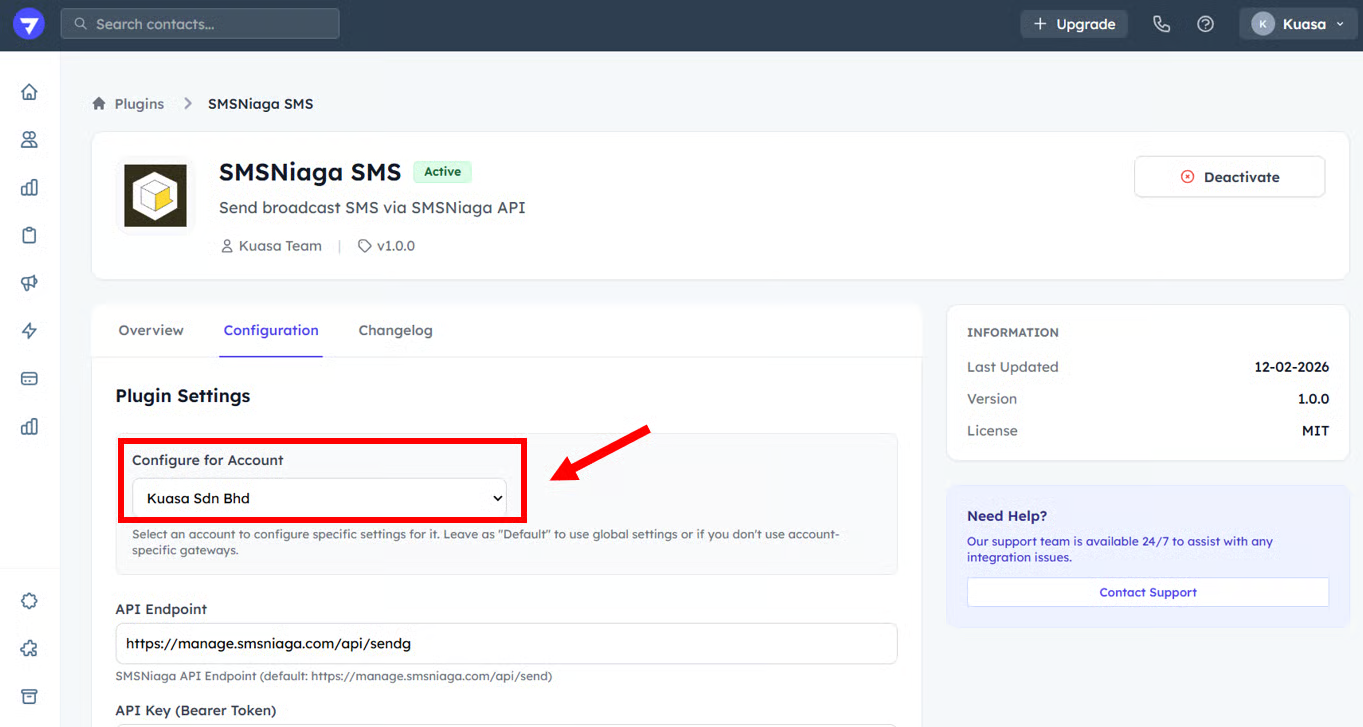
7. Select the Client Account.
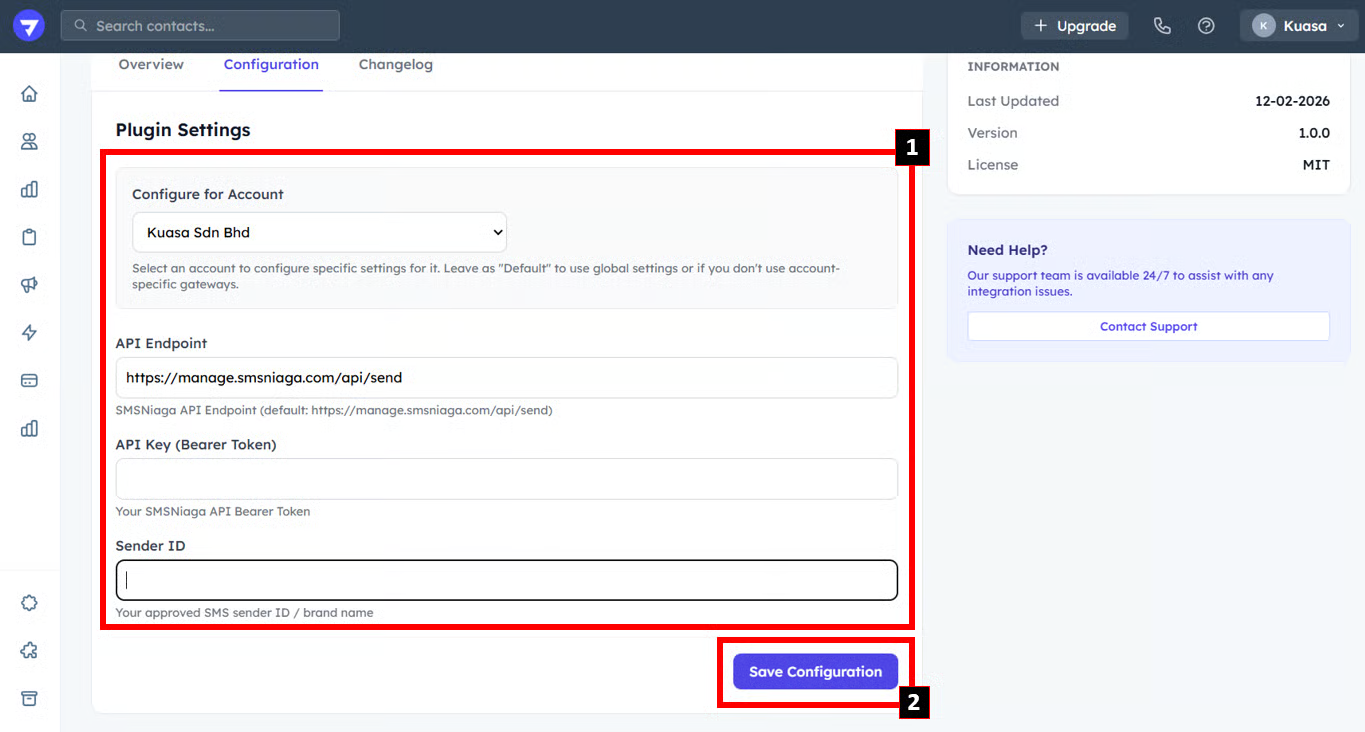
8. Enter all the details required:
* API Endpoint
* API Key (Bearer Token)
* Sender ID
9. After done enter all the details, click **Save Configuration**.
{% hint style="success" %}
Well Done! You already complete SMS plugin setup.
{% endhint %}