> For the complete documentation index, see [llms.txt](https://docs.kuasa.io/llms.txt). Markdown versions of documentation pages are available by appending `.md` to page URLs; this page is available as [Markdown](https://docs.kuasa.io/manage-deals/adding-new-deals-to-your-pipeline.md).
# Adding New Deals to Your Pipeline
**Add Existing Contact**
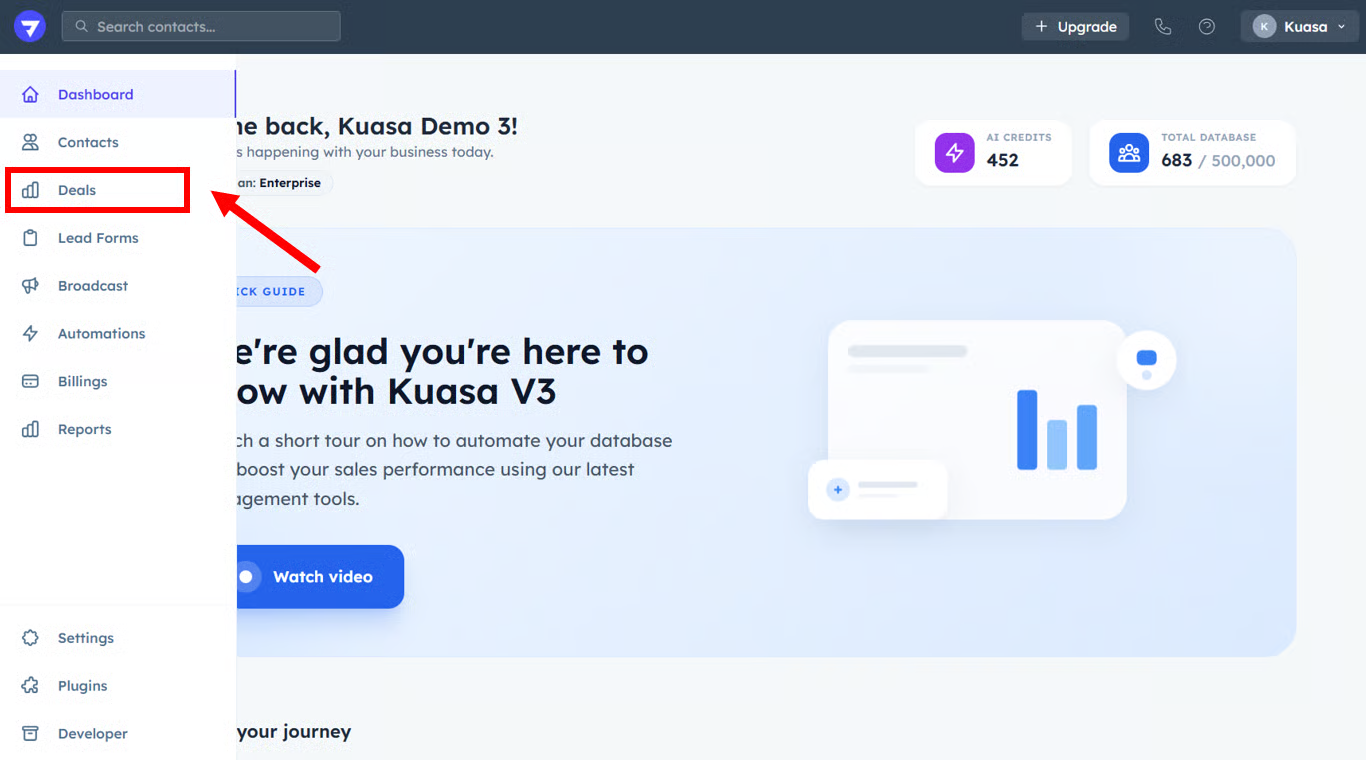
1. Click **Deals**.
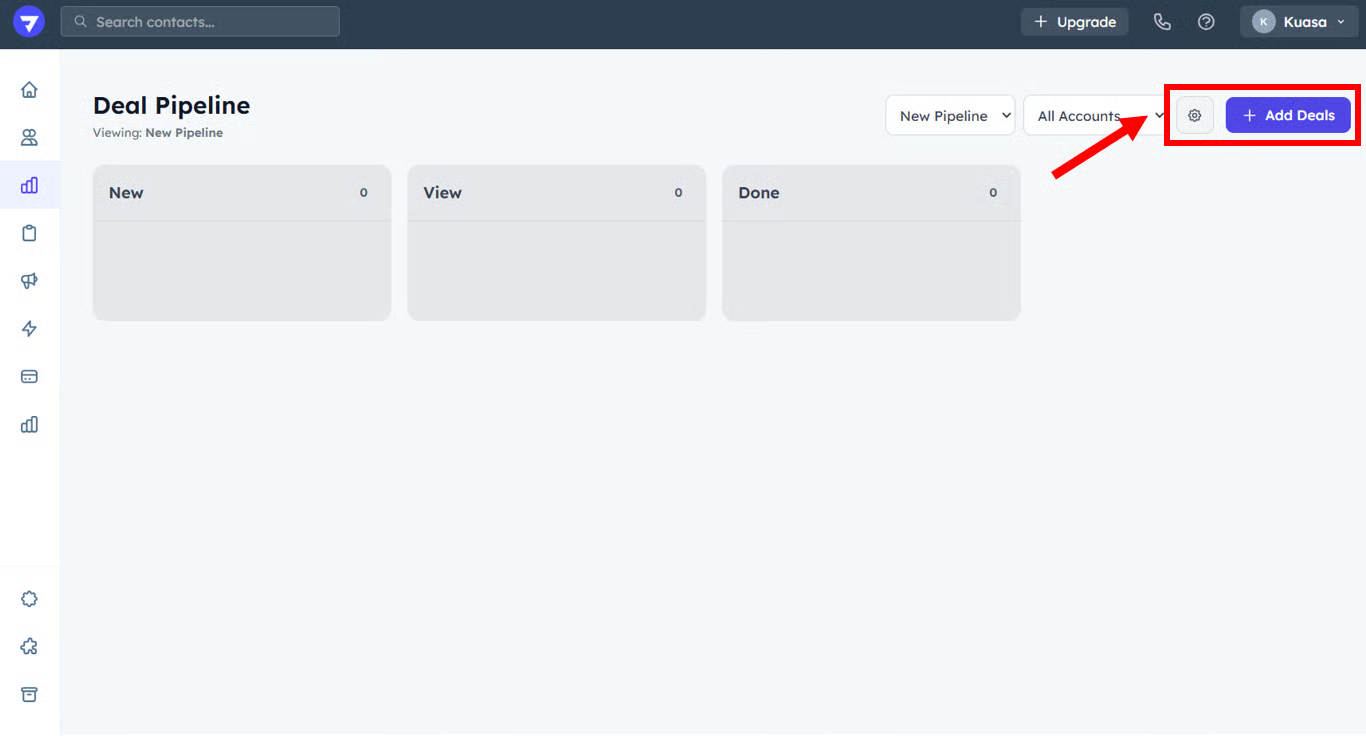
2. Click **+ Add Deals**
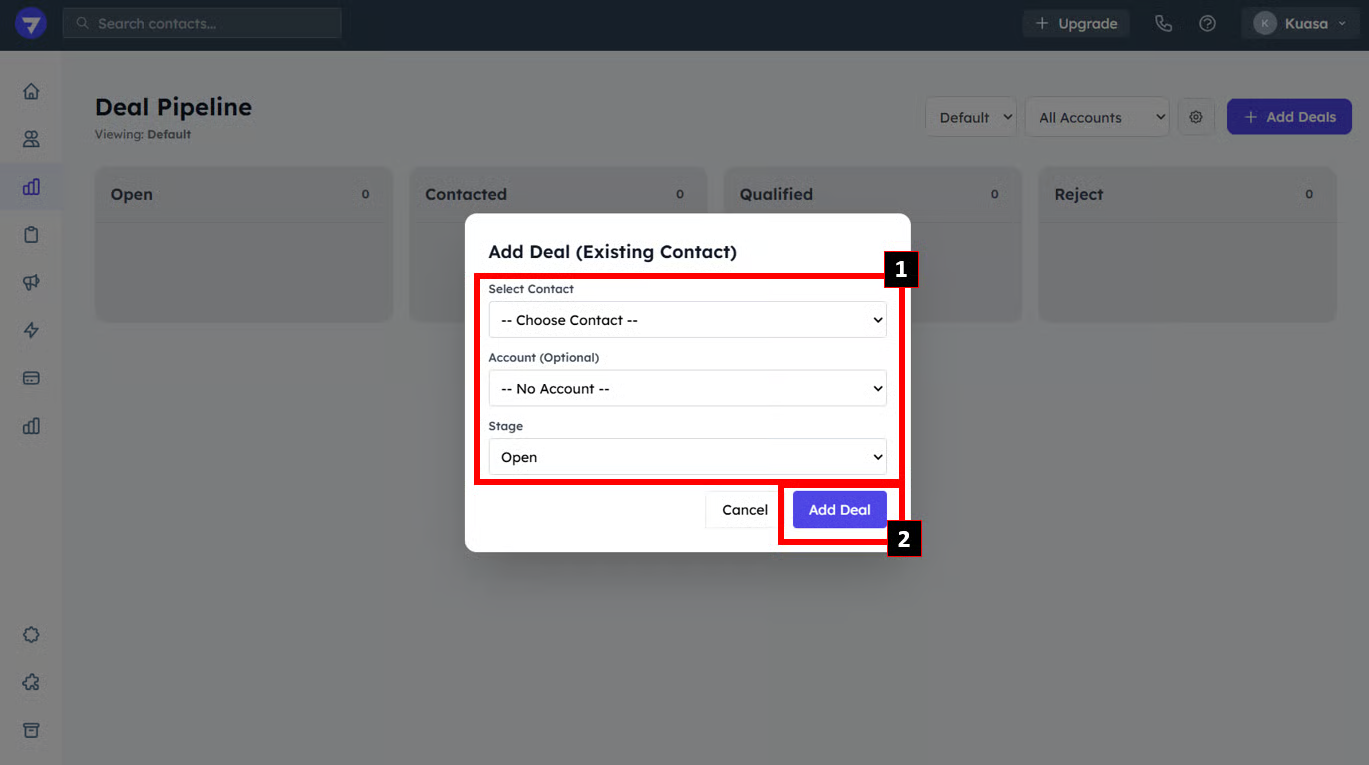
3. Select the **Contact**, **Account** and **Stage**. Then, click **Add Deal**.
{% hint style="info" %}
You may **Drag & Drop** the contact card to change the staging status.
{% endhint %}