> For the complete documentation index, see [llms.txt](https://docs.kuasa.io/llms.txt). Markdown versions of documentation pages are available by appending `.md` to page URLs; this page is available as [Markdown](https://docs.kuasa.io/manage-data/managing-contact-columns-and-custom-fields.md).
# Managing Contact Columns and Custom Fields
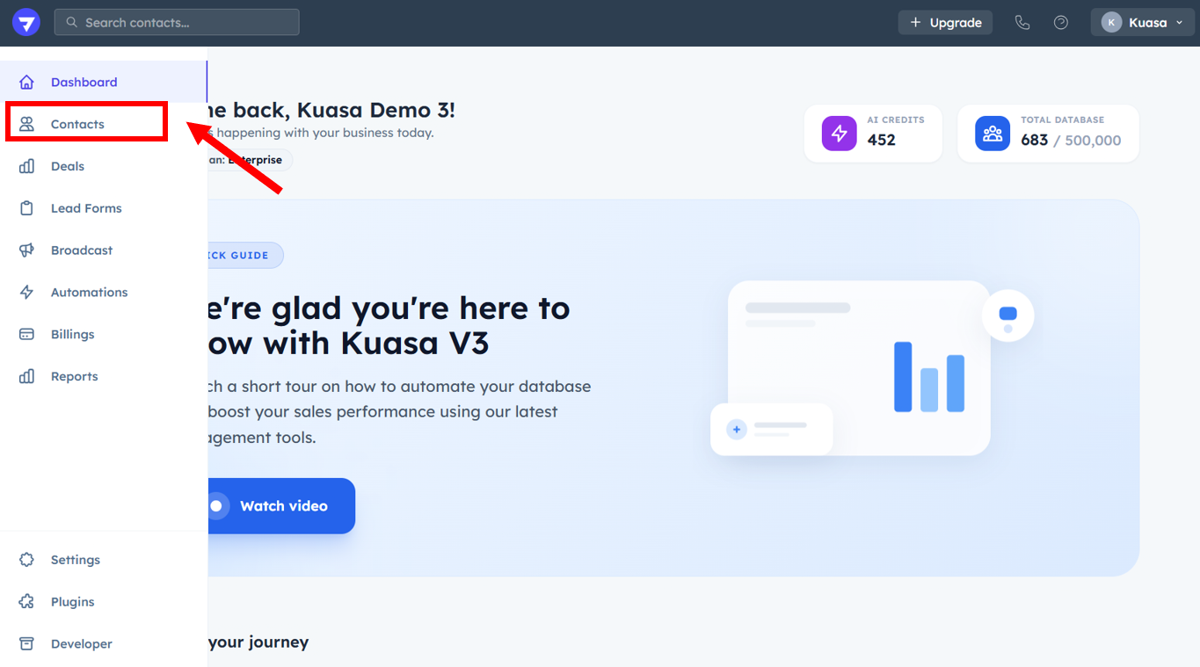
1. Click **Contacts**.
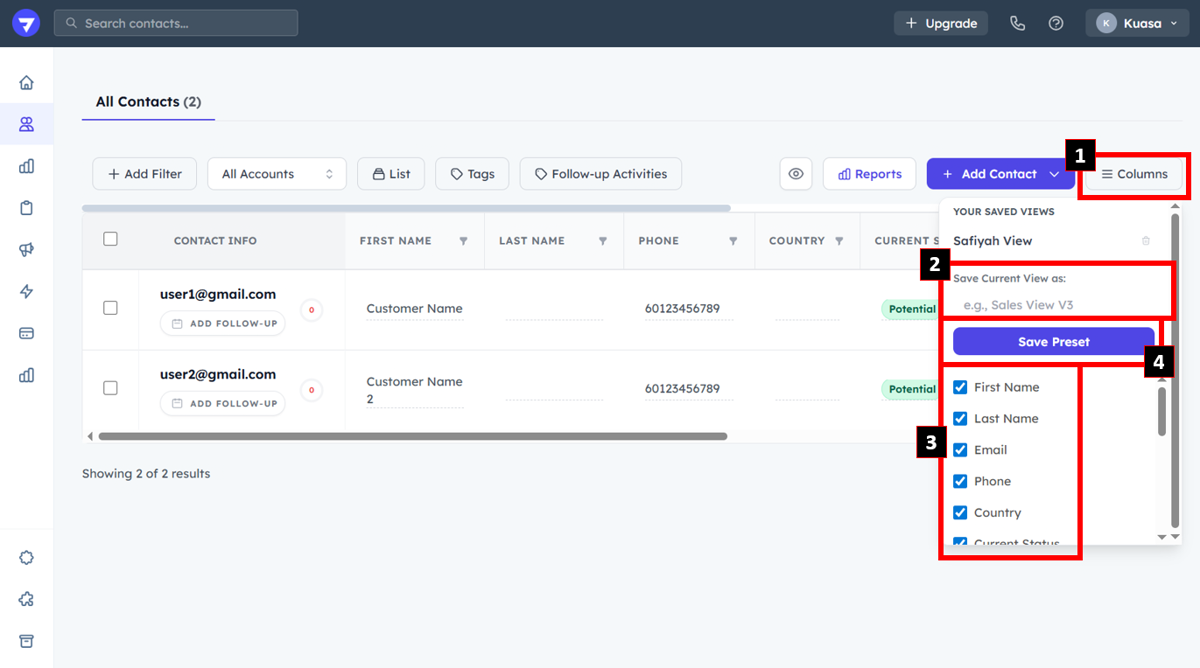
2. Click **Columns**. Then, enter the name for the new current view. **Tick the box for properties** to be included and click **Save Preset**.