# Create a New Automation

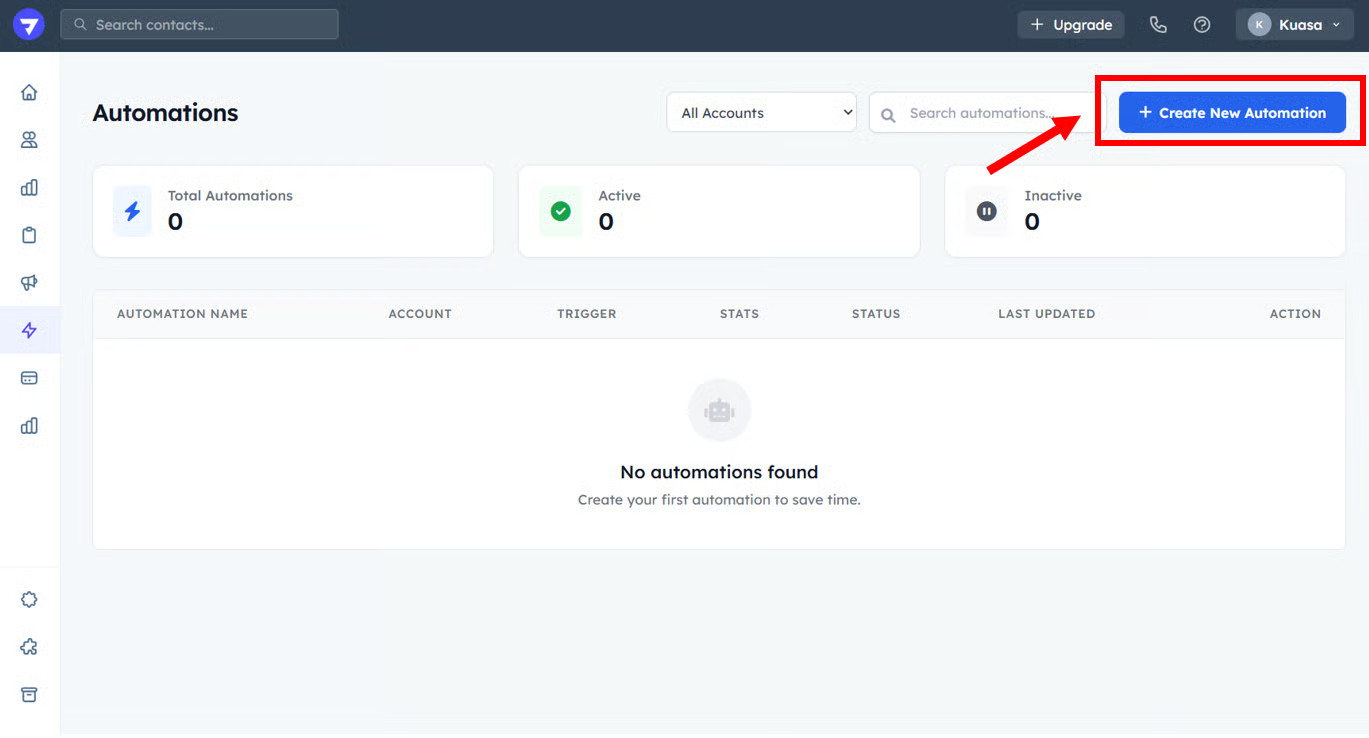
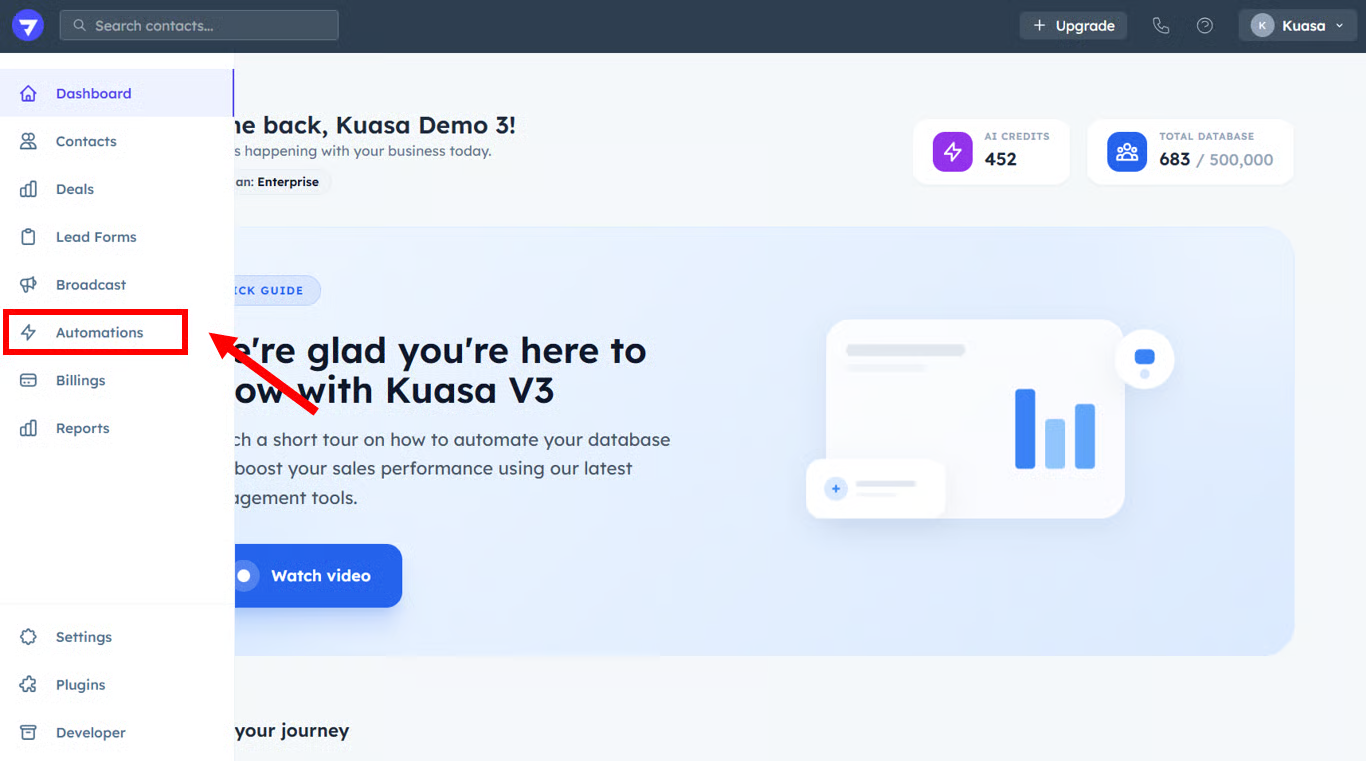
1. Click **Automations**.

<figure><img src="https://3115216045-files.gitbook.io/~/files/v0/b/gitbook-x-prod.appspot.com/o/spaces%2FjUshnokTPXfX7lwwLXnA%2Fuploads%2F2hK1GVRBp7mVjDcJdDaW%2Fimage.png?alt=media&#x26;token=28008dc9-8d57-4116-a86b-234926c06364" alt=""><figcaption></figcaption></figure>

2. Click the **+ Create** button.

<figure><img src="https://3115216045-files.gitbook.io/~/files/v0/b/gitbook-x-prod.appspot.com/o/spaces%2FjUshnokTPXfX7lwwLXnA%2Fuploads%2FZeVt6QhLCZXuDMMwJ1sY%2Fimage.png?alt=media&#x26;token=88006a66-9752-4798-ab0b-47a999333b25" alt=""><figcaption></figcaption></figure>

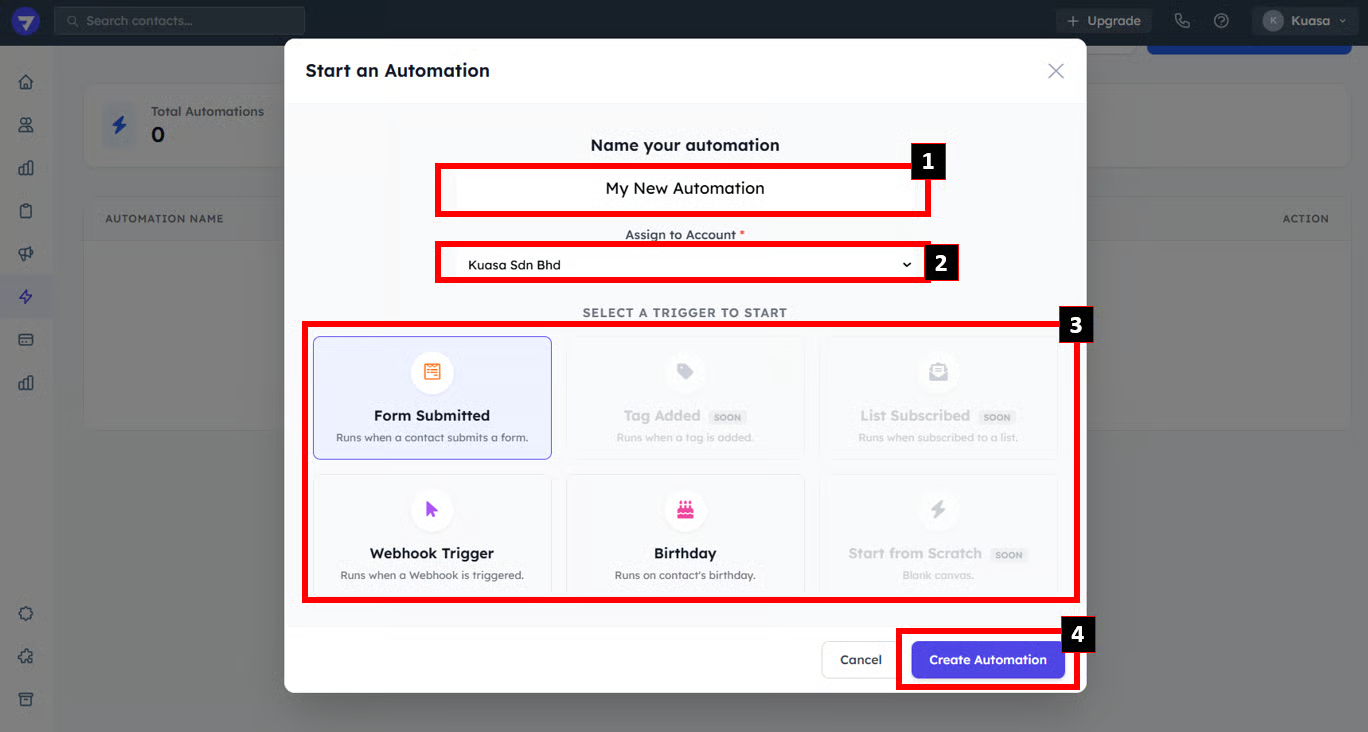
3. Write the **name** for your automation. Then, select the **Client Account**.

   Next, choose the **Trigger** (Form Submitted/Birthday/Webhook, etc. ) to start the automation & click **Create Automation**.

<figure><img src="https://3115216045-files.gitbook.io/~/files/v0/b/gitbook-x-prod.appspot.com/o/spaces%2FjUshnokTPXfX7lwwLXnA%2Fuploads%2FktS1aVtjzOTKGWGcs5wZ%2Fimage.png?alt=media&#x26;token=1f442a5d-8b1c-4d80-8e14-693ad0bb5c59" alt=""><figcaption></figcaption></figure>

{% hint style="success" %}
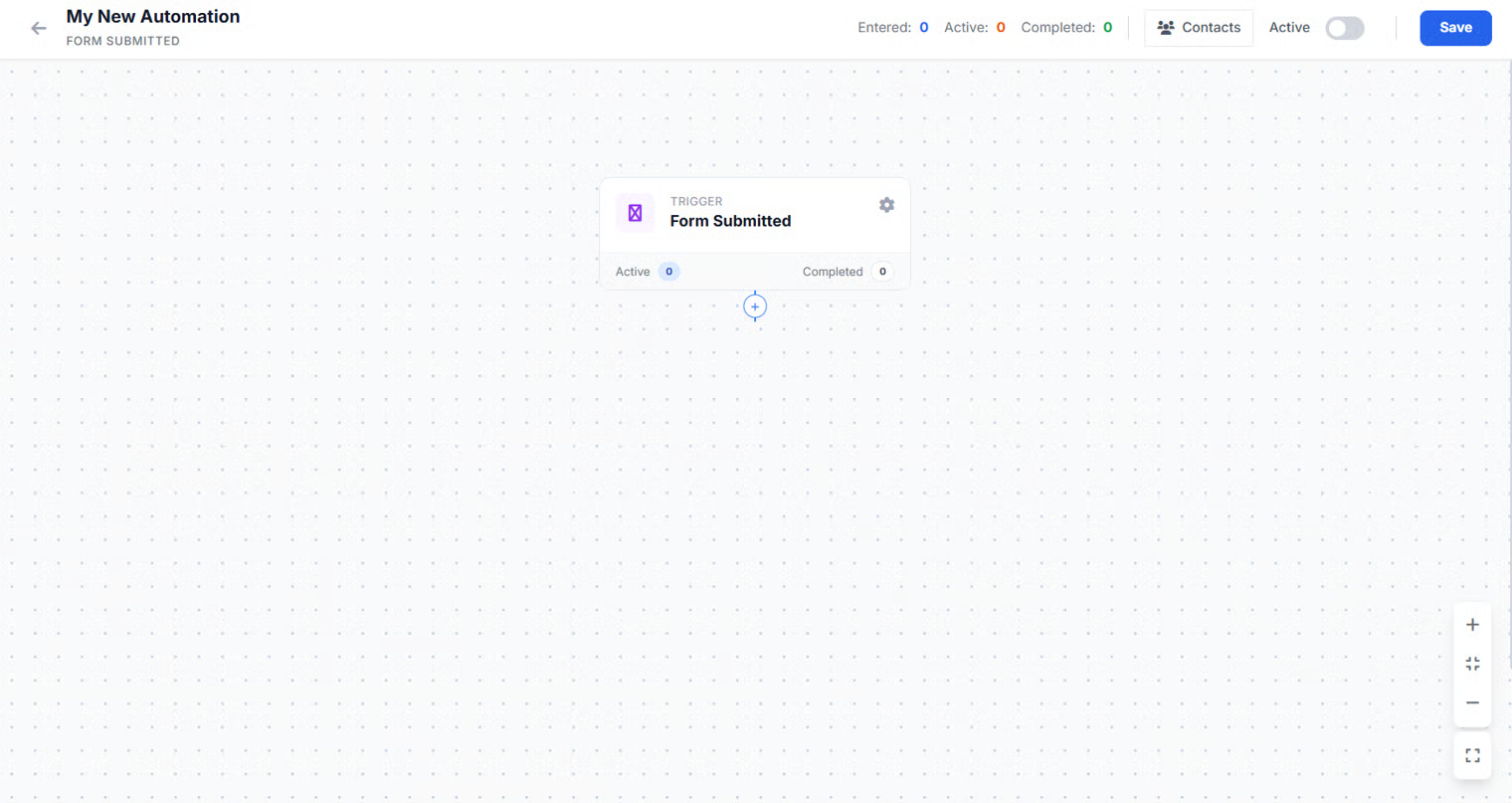
You will be directed to automation setup.
{% endhint %}
<figure><img src="https://3115216045-files.gitbook.io/~/files/v0/b/gitbook-x-prod.appspot.com/o/spaces%2FjUshnokTPXfX7lwwLXnA%2Fuploads%2Fz4yhh5bxkZ0k9fIM8aTs%2Fimage.png?alt=media&#x26;token=a6011943-5e98-469c-920f-dfdf13d3c12f" alt=""><figcaption></figcaption></figure>