> For the complete documentation index, see [llms.txt](https://docs.kuasa.io/llms.txt). Markdown versions of documentation pages are available by appending `.md` to page URLs; this page is available as [Markdown](https://docs.kuasa.io/authentication/how-to-reset-your-password.md).
# How To Reset Your Password
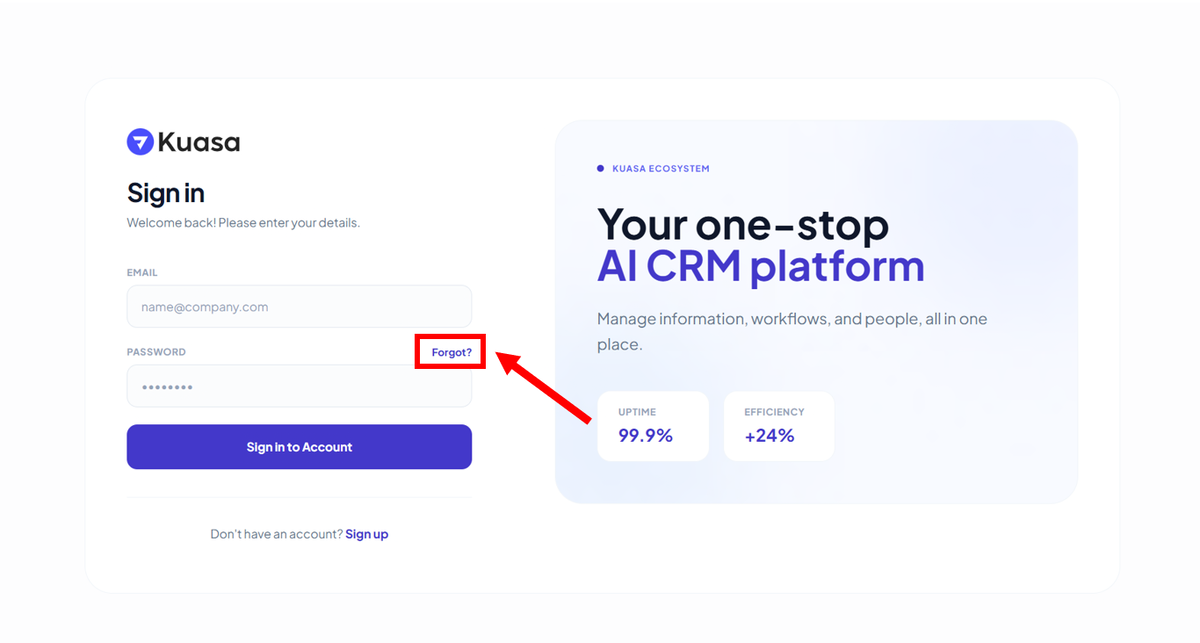
1\. Click **Forgot?**
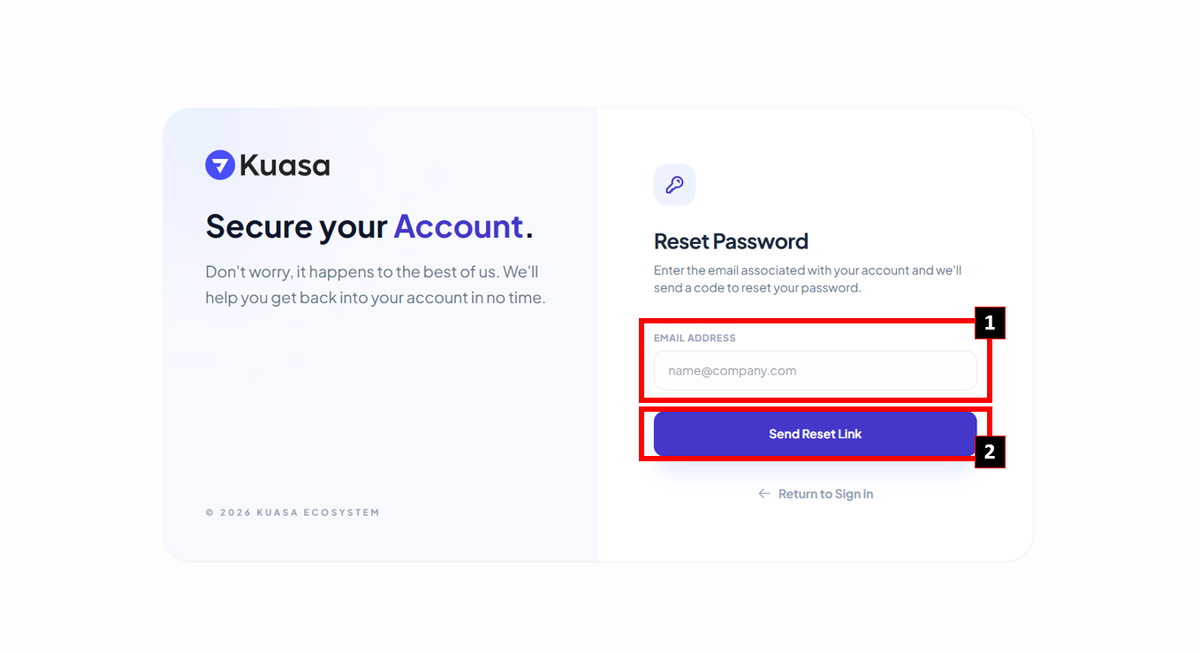
2. Enter your email to reset the password. Then, click **Send Reset Link**.
{% hint style="info" %}
Please check your email for the code to reset the password. Reset password instructions will be sent to your email.
{% endhint %}