> For the complete documentation index, see [llms.txt](https://docs.kuasa.io/llms.txt). Markdown versions of documentation pages are available by appending `.md` to page URLs; this page is available as [Markdown](https://docs.kuasa.io/authentication/changing-your-password.md).
# Changing Your Password
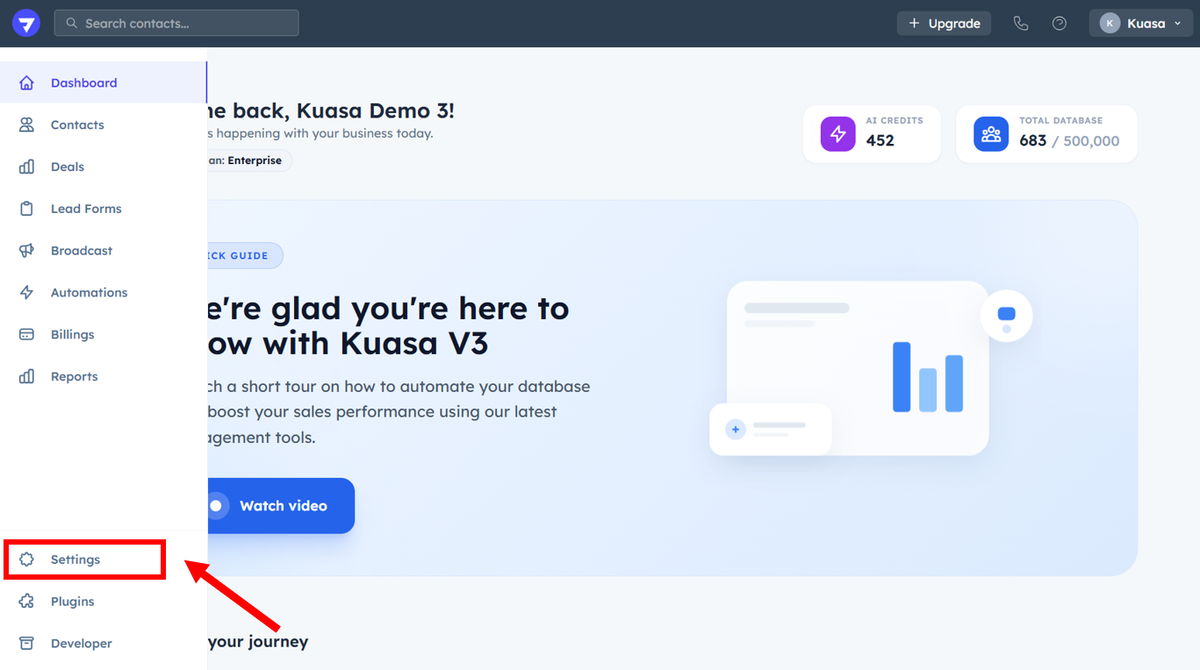
1. To change password, click **Settings**.
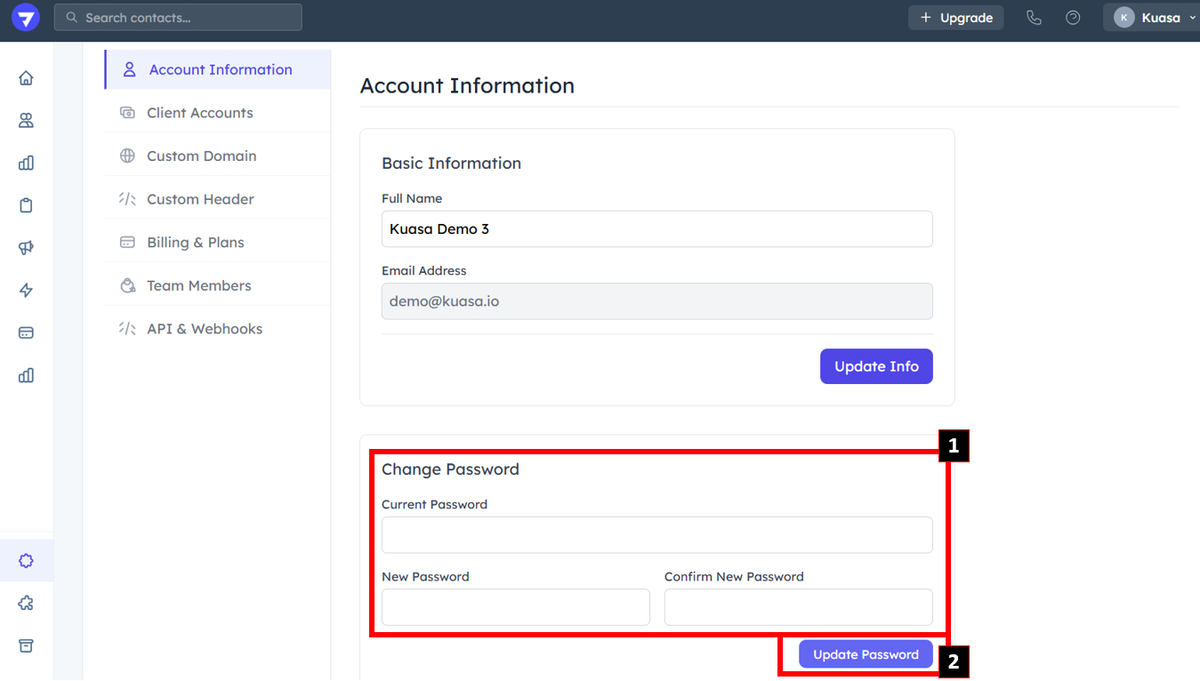
2. Go to **Change Password**.
3. Enter **current password, new password & confirm new password** to set up for new password. Then, click **Update Password**.